MINI Hawk High Performance Imager User’s Manual 10-11
Camera and IP Setup
Window of Interest by Serial Command
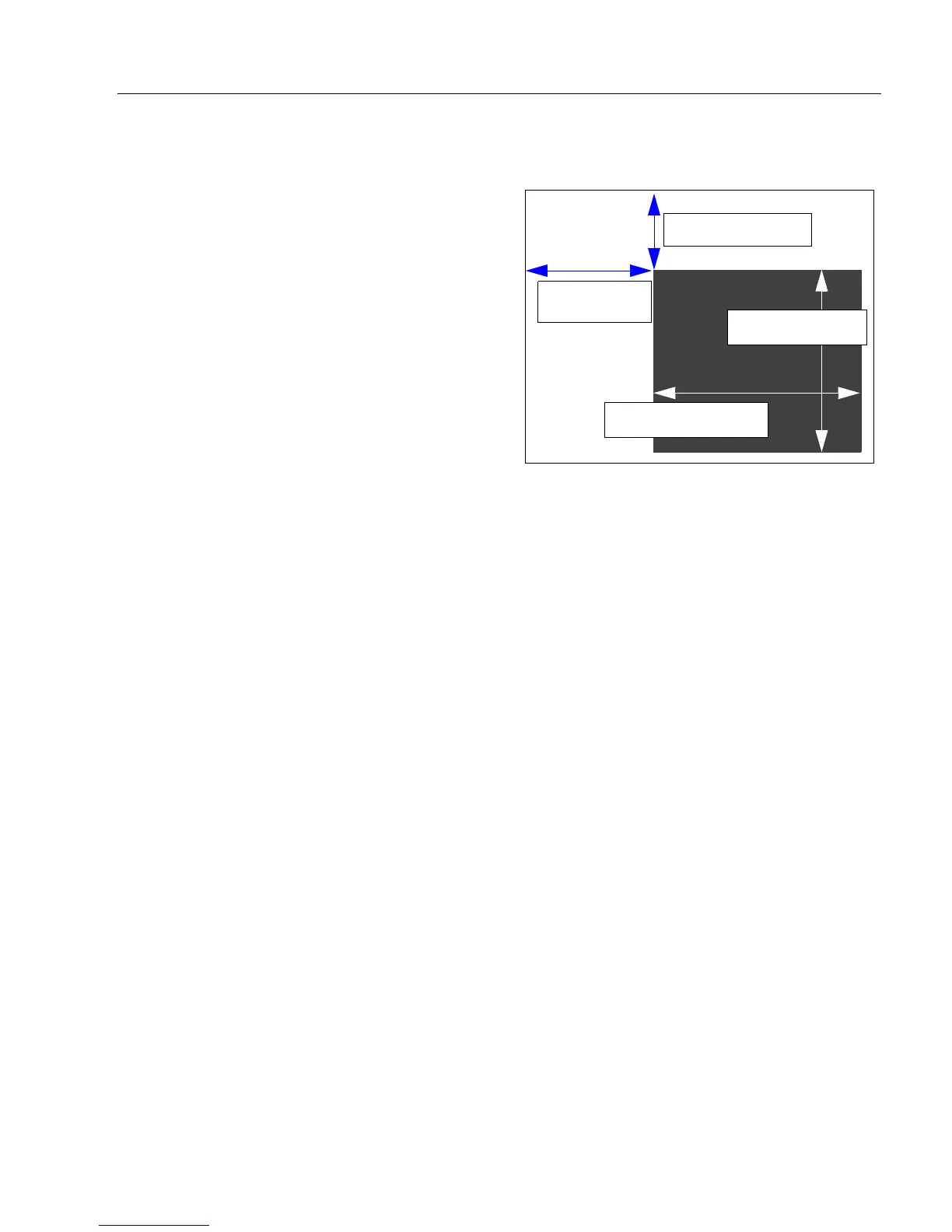
The figure shows where to locate the start
position of the row and column pointers and
how to measure the column depth and row
width dimensions.
Top (Row Pointer)
Left (Column Pointer)
Important: The column pointer setting must be an even value.
Height (Row Depth)
Width (Column Width)
Definition: Defines the row position of the
upper-left starting point of the
window.
Serial
Cmd:
<K516,row pointer,column
pointer,row depth,column width>
Default: 0
Options: High Resolution MINI Hawk:
0 to (1024 – row depth)
High Speed MINI Hawk:
0 to (480 – row depth)
Definition: Defines the column position of the upper-left starting point of the window.
Serial Cmd: <K516,row pointer,column pointer,row depth,column width>
Default: 0
Options: High Resolution MINI Hawk: 0 to (1280 – column width)
High Speed MINI Hawk: 0 to (752 – column width)
Definition: Defines the size, in rows, of the window. Maximum value is defined as
the maximum row size of the image sensor minus the Top value.
Serial Cmd: <K516,row pointer,column pointer,row depth,column width>
Default: High Resolution MINI Hawk: 1024; High Speed MINI Hawk: 480
Options: High Resolution MINI Hawk: 3 to (1024 – row pointer)
High Speed MINI Hawk: 3 to (480 – row pointer)
Definition: Defines the column position of the upper-left starting point of the window.
Serial Cmd: <K516,row pointer,column pointer,row depth,column width>
Default: High Resolution MINI Hawk: 1280; High Speed MINI Hawk: 752
Options: High Resolution MINI Hawk: 8 to (1280 – column pointer)
High Speed MINI Hawk: 8 to (1280 – column pointer)
WOI Column
Pointer
WOI Row Pointer
WOI Column Width
WOI Row Depth



 To Next Page