2-6 MINI Hawk High Performance Imager User’s Manual
Menu Toolbar
Options
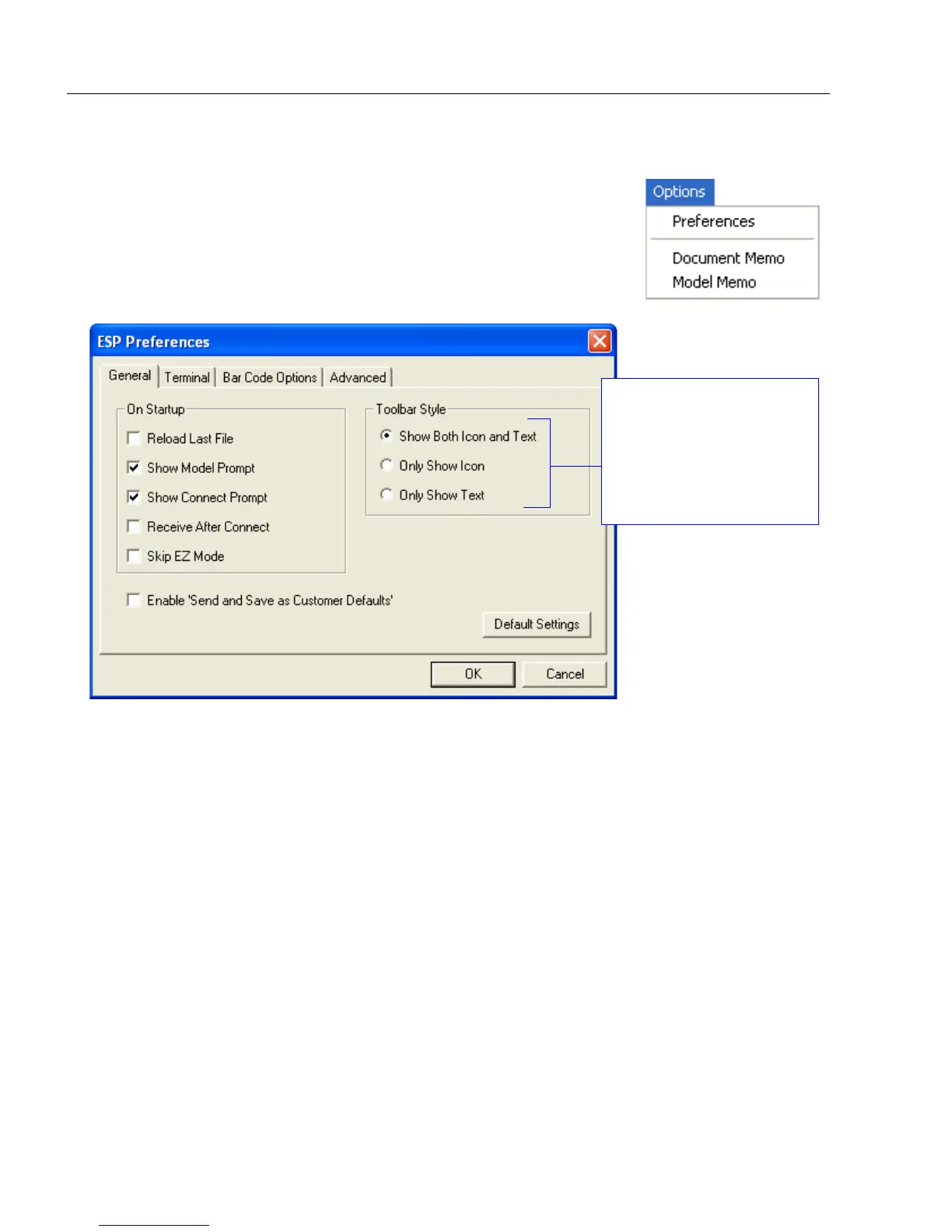
The Options menu allows you to save memos and set up ESP
Preferences.
Note: Preferences will be saved and loaded into ESP whenever ESP
is opened next, whether or not you save the ESP file.
Preferences > General Tab
Reload Last File
At startup, reloads the last file saved to the host computer’s hard drive.
Show Model Prompt
At startup, shows the model menu displaying all supported readers.
Show Connect Prompt
At startup, displays the Would you like to connect to the MINI Hawk? prompt.
Receive After Connect
At startup, loads the imager’s settings into ESP. (This is not recommended if you want to
preserve your ESP settings for future use.)
Skip EZ Mode
At startup, skips EZ Mode and opens directly in App Mode.
Enable ‘Send and Save as Customer Defaults’
At startup, enables the Send and Save as Customer Defaults option in the Send/Recv
command.
The Toolbar Style
options allow you to
determine how ESP
will display the mode
options in the two rows
at the top of the screen.



 To Next Page