4-14 MINI Hawk High Performance Imager User’s Manual
Initiating Calibration
Calibration Progress Indicators
During the calibration process, the imager has a number of ways to communicate its
progress to the user. The following three types of feedback are the primary ways that the
imager communicates calibration progress.
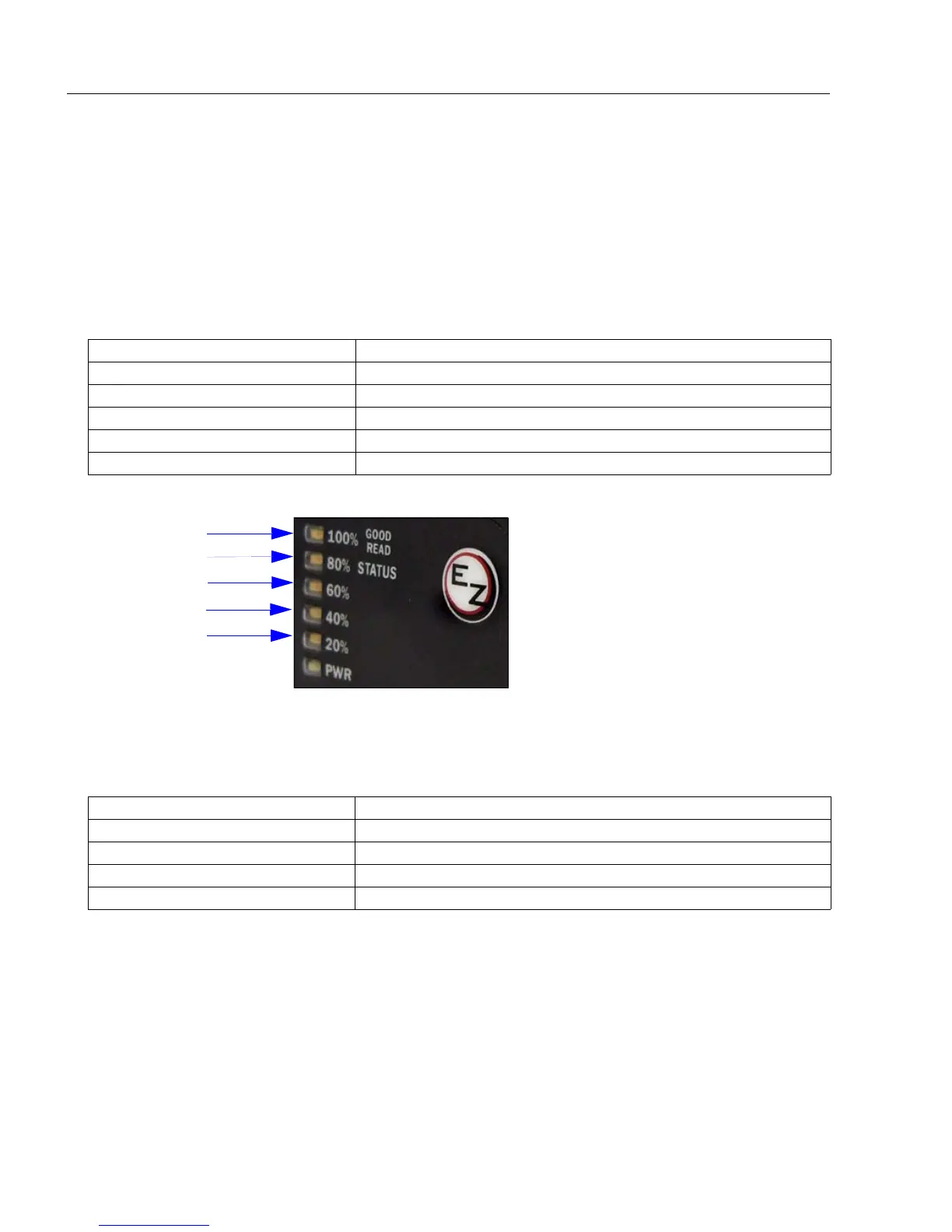
Read Rate LEDs
When calibration is initiated through a serial command or the EZ Button, the imager’s
Read Rate LEDs indicate calibration progress as follows:
Beeper/Green Flash
The beeper and green LED flash are used to indicate calibration status as shown in the
table below:
LEDs Calibration Progress
20% Search Pass in progress.
20%, 40% Focus Pass in progress.
20%, 40%, 60% Medium Pass in progress.
20%, 40%, 60%, 80% Fine-Tune Pass in progress.
20%, 40%, 60%, 80%, 100% Calibrated Successfully (holds for green flash duration).
Indicator Status
2 quick beeps Calibration has started.
5 quick beeps Calibration has failed.
1 long beep Calibration has been completed successfully.
1 sec. Green Flash Calibration has been completed successfully.
Search Pass
Calibrated
Successfully
Focus Pass
Medium Pass
Fine-Tune Pass



 To Next Page