A-2 iScanHelper
4. Press the user-defined key for entering iScanHelper again to exit iScanHelper.
A.4 Basic Screen and Operation
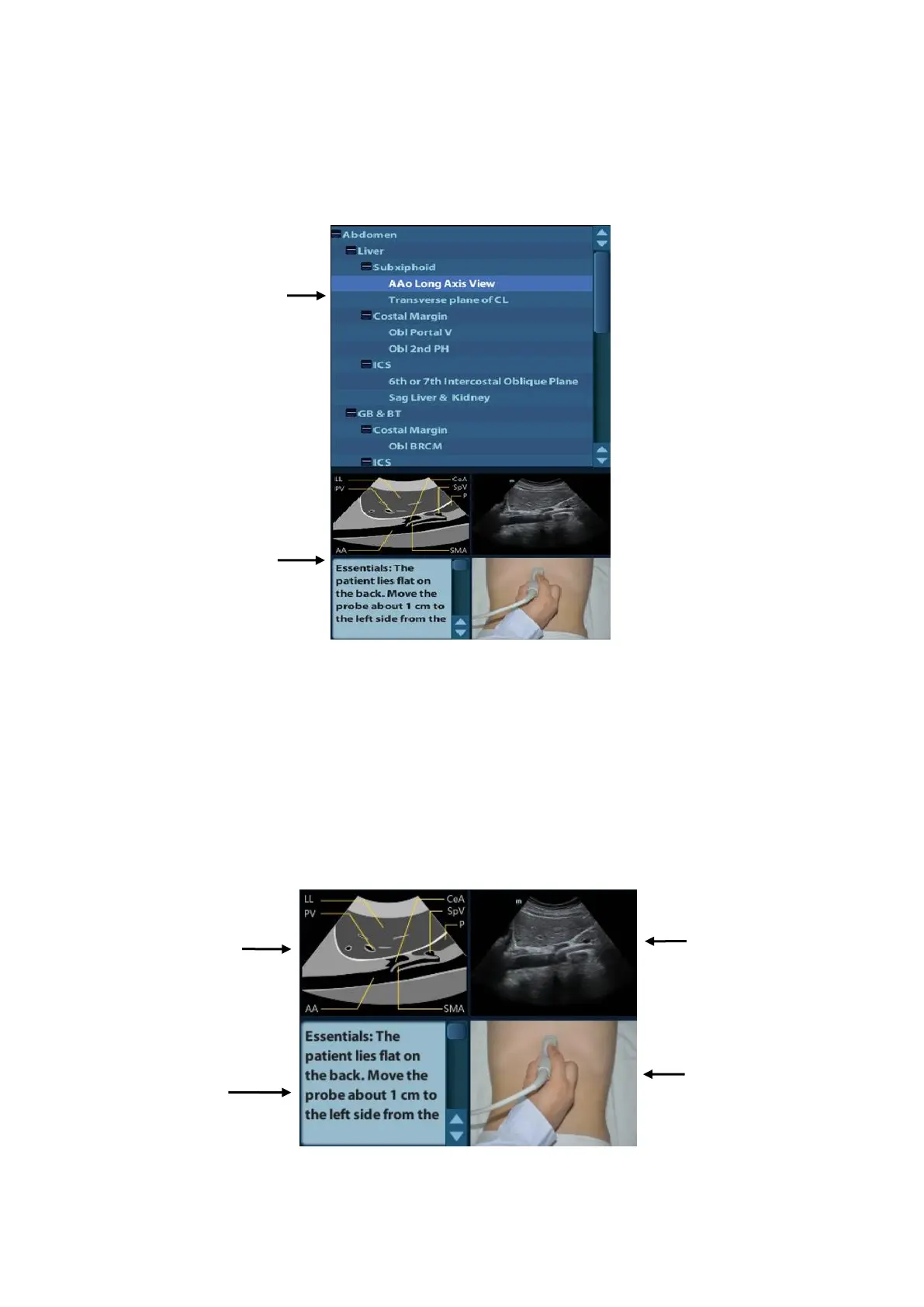
A.4.1 View Selecting Area
Rotate the trackball to move the cursor onto the target view and press <Set>, related
information will be displayed on the help information area.
A.4.2 Help Information Area
Help information area displays on the lower right corner of the screen, providing ultrasonic
image, anatomic graphic, scanning picture and scanning tips.
⚫ Ultrasonic image



 To Next Page