6. Getting started
MiR600 User Guide (en) 08/2021 - v.1.0 ©Copyright 2021: Mobile Industrial Robots A/S. 53
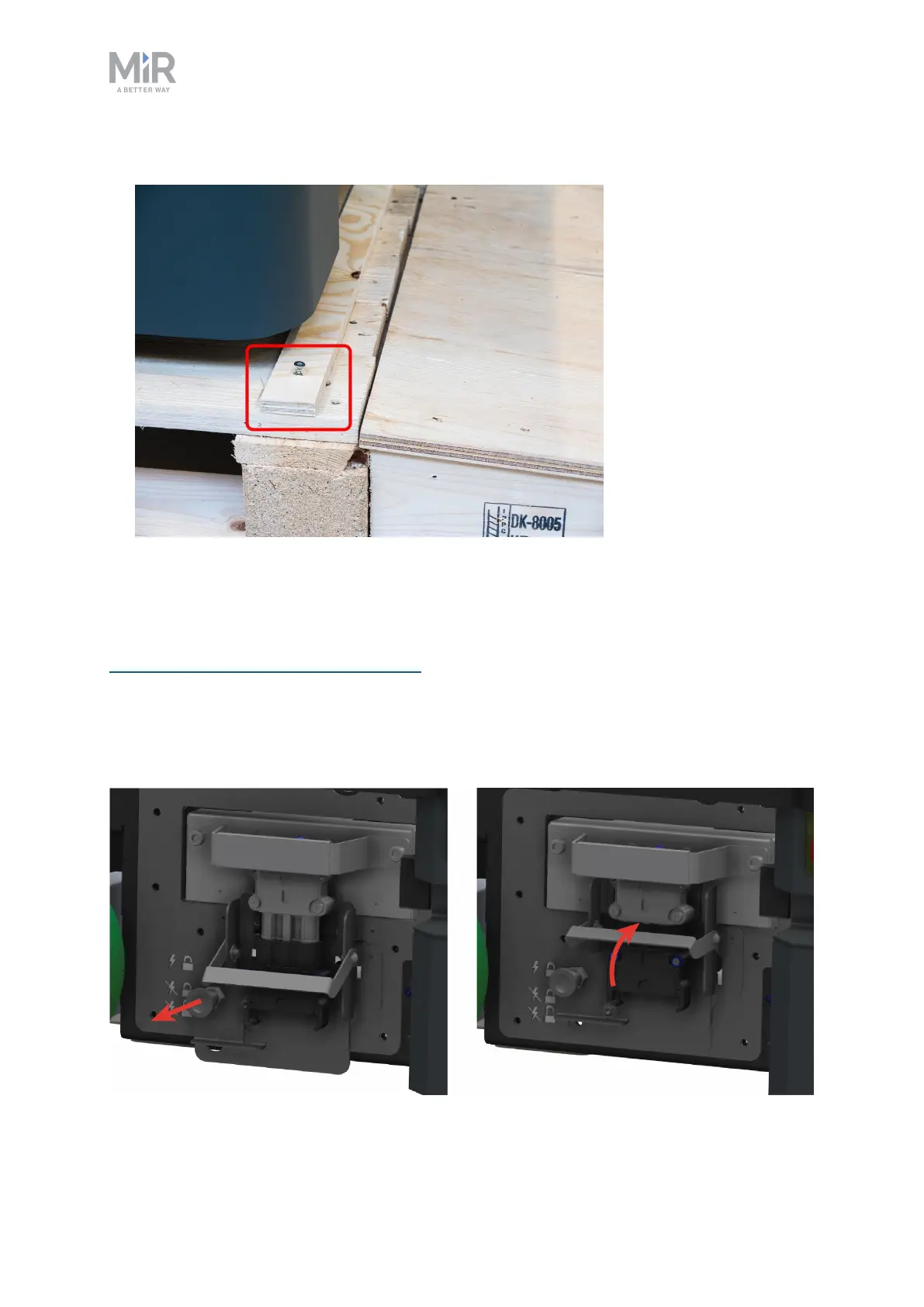
8. Remove the wheel stop board from the pallet to let the robot drive on the ramp.
6.3 Connecting the battery
To connect the battery to the robot, you need to open the left side compartment—see
Accessing the internal parts on page39.
Once you have accessed the left side compartment, pull the Battery lock pin out, and pull the
Battery lever to the top position. The battery is now connected, and you can close the side
maintenance hatch.



 To Next Page