2. Product presentation
MiR600 User Guide (en) 08/2021 - v.1.0 ©Copyright 2021: Mobile Industrial Robots A/S. 14
2.2 External parts
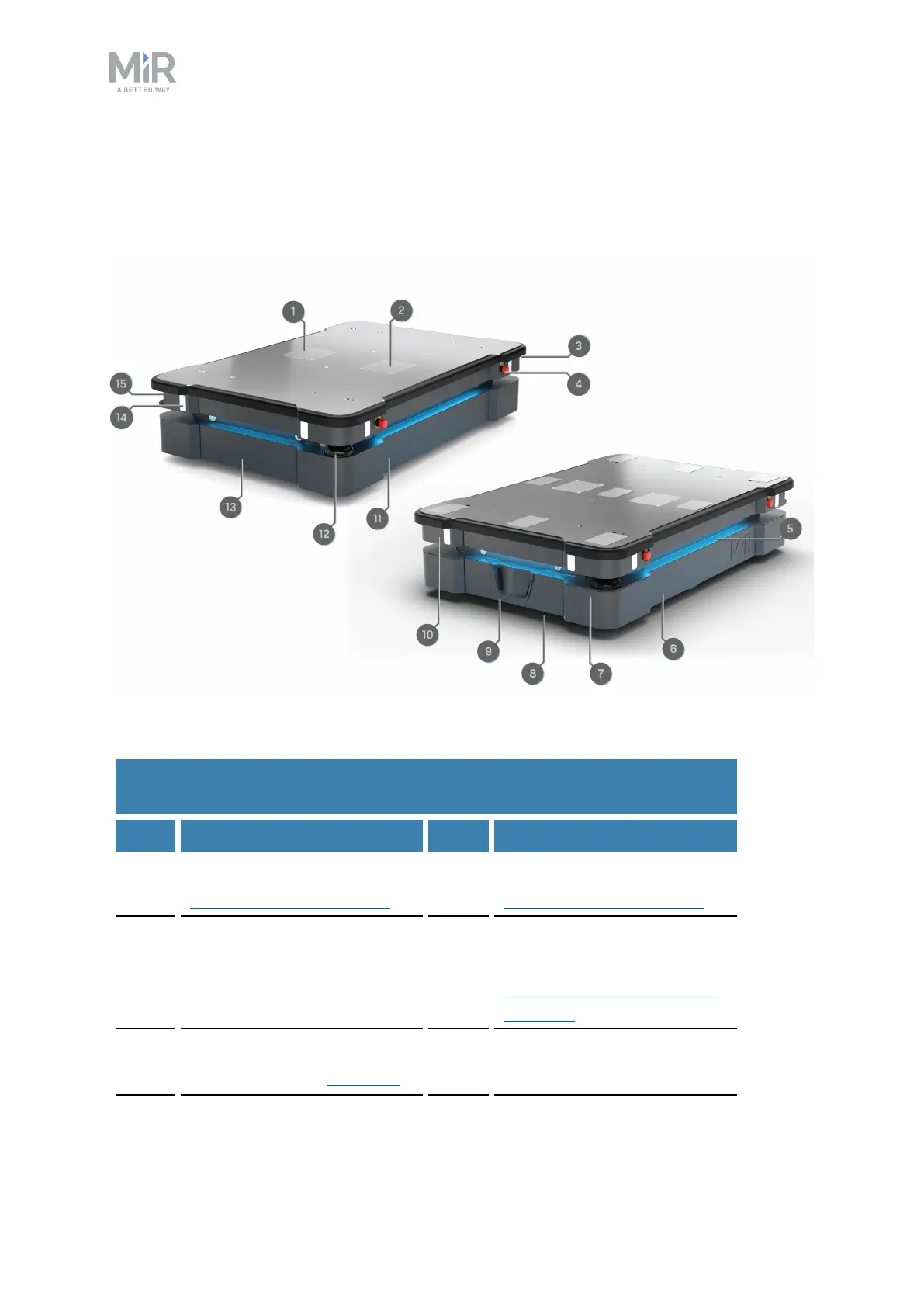
This section presents the parts of MiR600 that are visible on the outside.
Figure 2.1. MiR600 external parts.
Pos. Description Pos. Description
1 Left top compartment—see
Internal parts on page21
2 Right top compartment—see
Internal parts on page21
3 Antenna: two pcs, in opposite
corners
4 Emergency stop button: four
pcs, two on each side—see
Emergency stop circuit on
page110
5 Status light: on all four sides
of the robot—see Obstacle
6 Left side maintenance hatch:
opens to the left side
Table 2.1.
Identification of the external parts in Figure 2.1



 To Next Page