2. Product presentation
MiR600 User Guide (en) 08/2021 - v.1.0 ©Copyright 2021: Mobile Industrial Robots A/S. 27
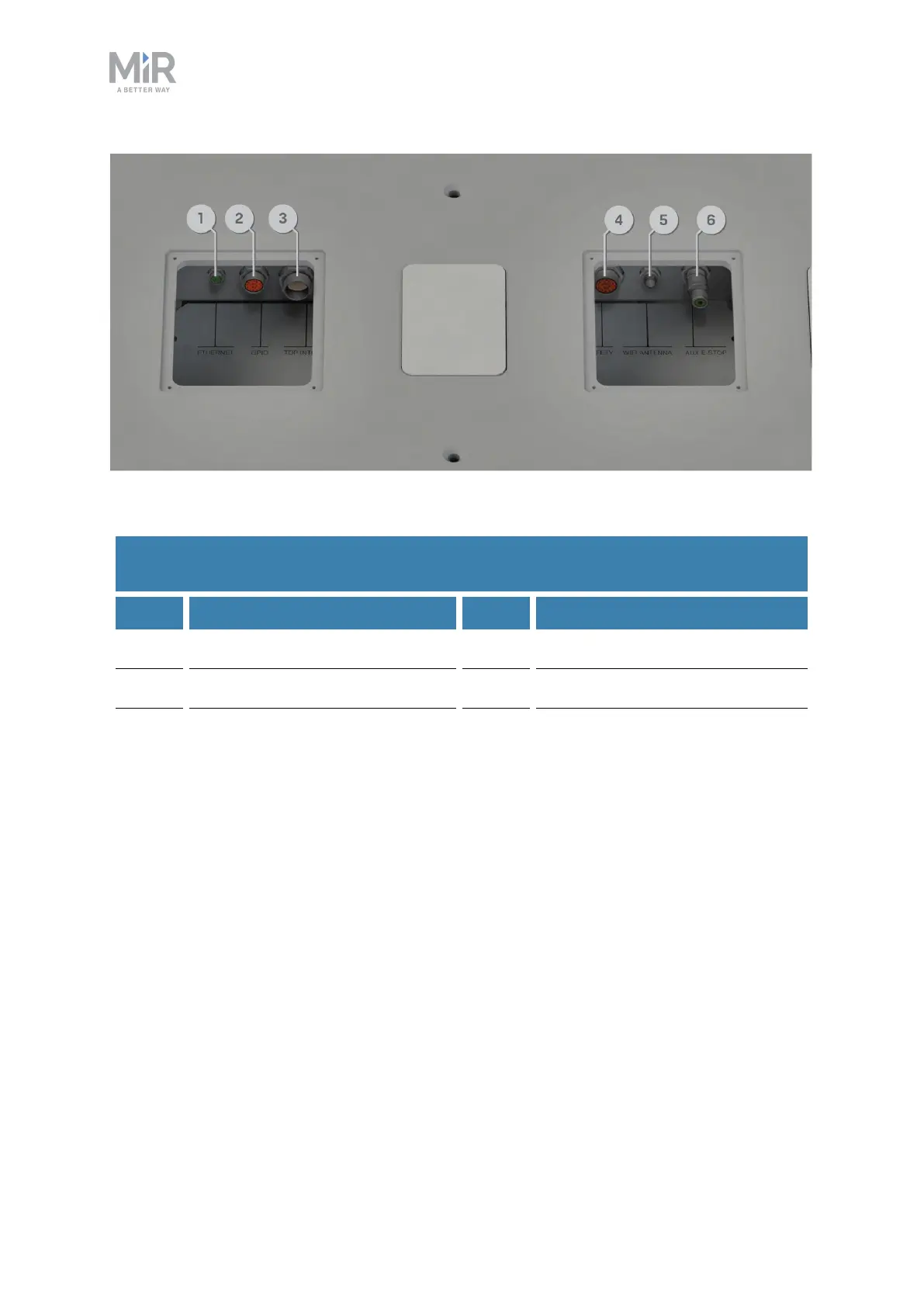
Figure 2.10. Interfaces in the top compartments.
Pos. Description Pos. Description
1 Ethernet 2 GPIO: General purpose I/O
3 Power 4 Auxiliary safety functions
5 WiFi antenna 6 Auxiliary emergency stop with
dummy plug
Table 2.6.
Identification of interfaces in Figure 2.10
2.4 Manual brake release switch
The Manual brake release switch is located in the rear compartment. You release the
robot's mechanical brakes by turning the Manual brake release switch clockwise.



 To Next Page