6. Battery and charging
MiR250 Hook Integrator Manual (en) 12/2023 - v.3.0 ©Copyright 2021–2023: Mobile Industrial Robots A/S. 83
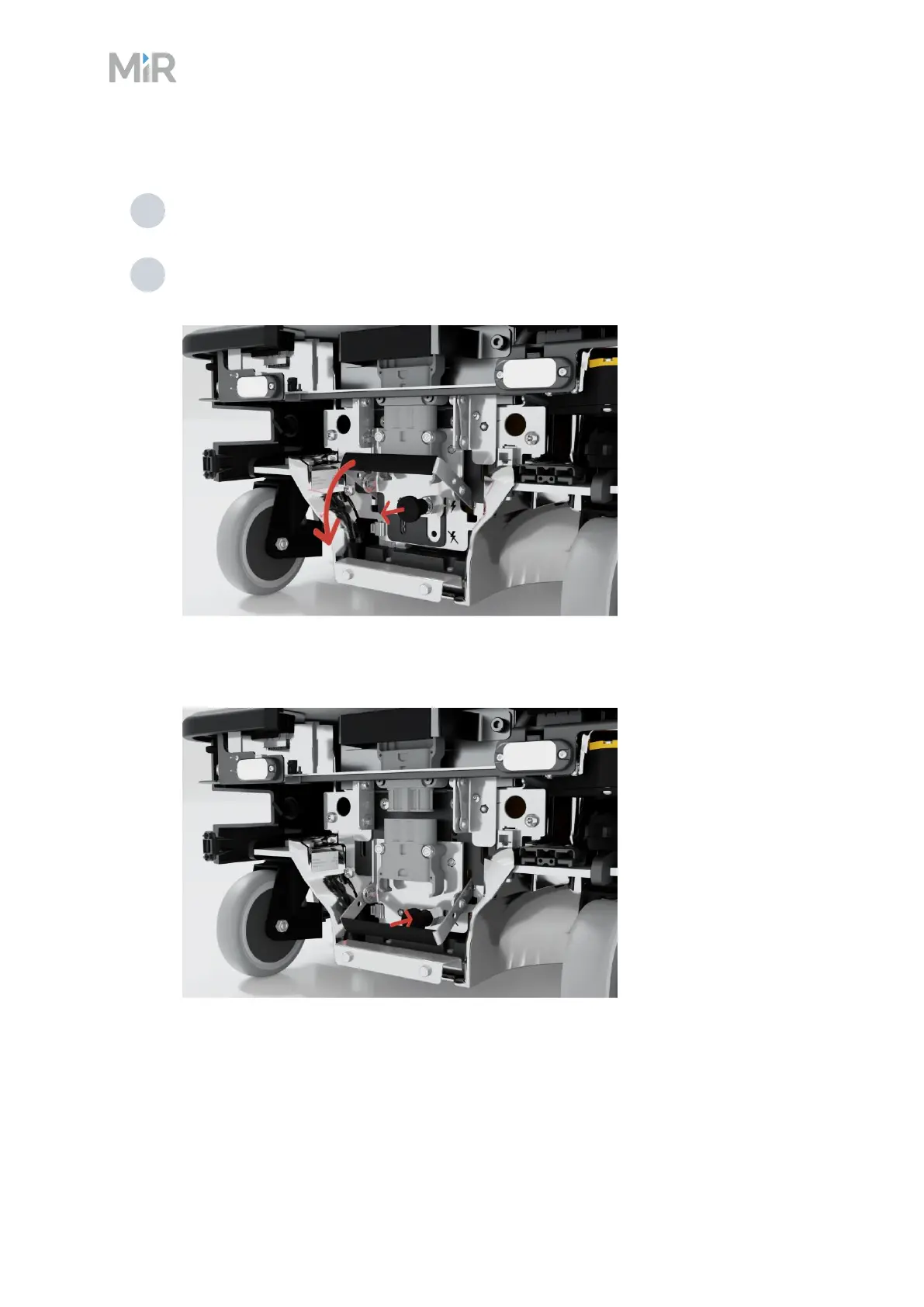
To disconnect the battery, follow these steps:
1 Access the rear compartment—see "Accessing the internal parts" on page149.
2 Pull the battery pin out while pulling the battery lever down. Confirm that a gap opens
between the battery and the battery connector as the handle is pulled down.
The battery lock pin will automatically click into place and lock the battery connector
once the battery lever has been pulled all the way down.
If you have enabled fast swap—"Enabling fast swap " on page80—you can remove the battery by
pulling the battery handle.



 To Next Page