6. Battery and charging
MiR250 Hook Integrator Manual (en) 12/2023 - v.3.0 ©Copyright 2021–2023: Mobile Industrial Robots A/S. 82
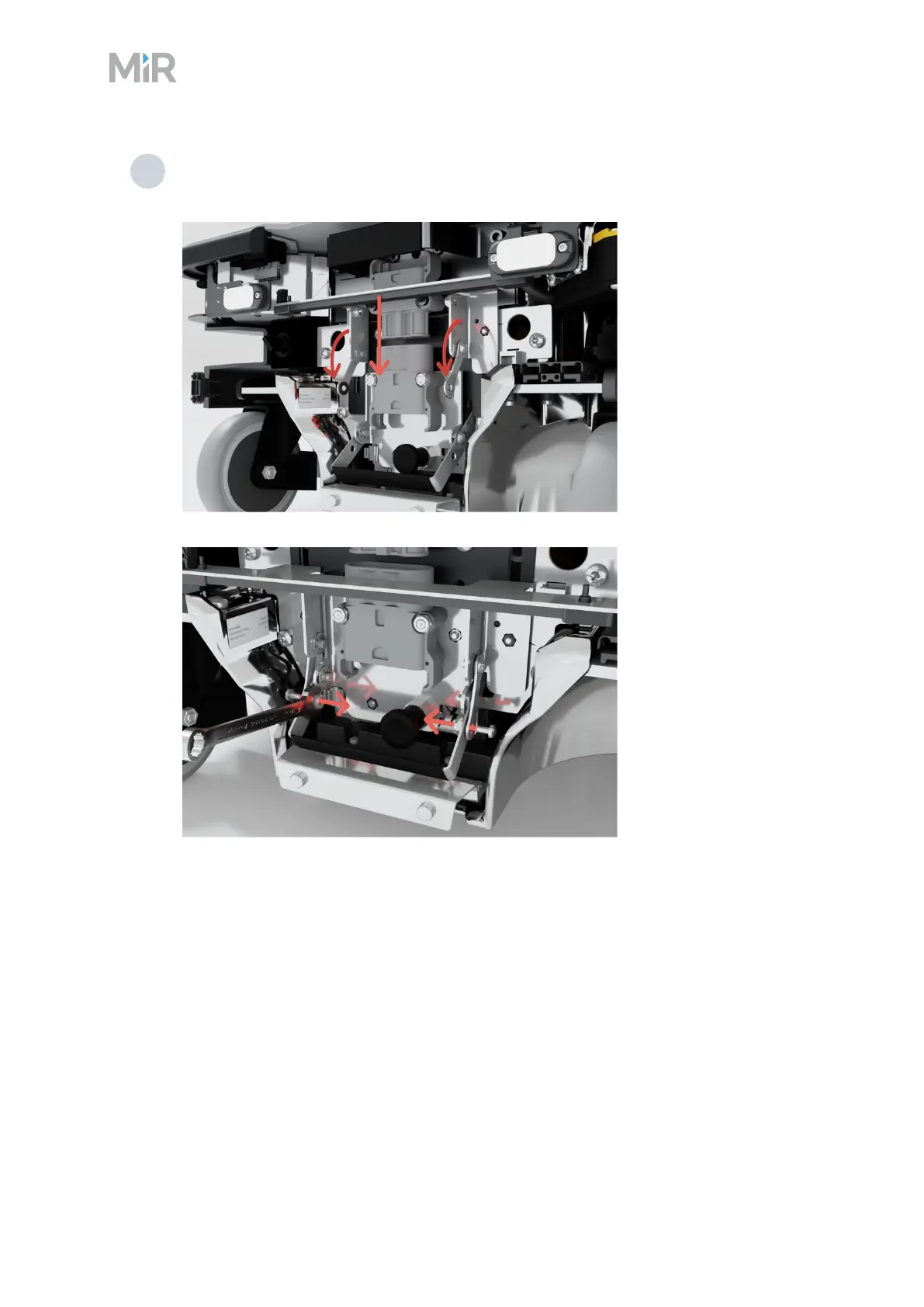
4 Pull the status light bracket down and fasten the two levers to the battery lever using
the same two bolts, washers, and nuts.
6.2 Disconnecting the battery
The battery can be disconnected for complete separation of all power to the robot. Disconnect
the battery whenever the robot is to be transported, undergo maintenance, or stored for over
24hours. This prevents unnecessary discharge, risk of electrocution, and risk of short circuiting.
Prior to disconnecting the battery, shut down the robot as described under "Shutting down the
robot" on page54. Ensure that the robot is not connected to any charging device.



 To Next Page