9. Demounting the top module
MiR250 Hook Integrator Manual (en) 12/2023 - v.3.0 ©Copyright 2021–2023: Mobile Industrial Robots A/S. 122
9. Demounting the top module
If you need to access the robot from the top, you must demount MiRHook250. This can be
required when troubleshooting issues or replacing robot components.
CAUTION
Removing covers from the robot exposes parts connected to the power supply,
which can result in a short circuit that will damage the robot and could injure
personnel.
l
Before removing any covers, turn off the robot.
l
Start by removing the rear cover, and disconnect the battery—see "Disconnecting
the battery" on page82.
To demount the top module, follow these steps:
1 Access the hook's internal parts as described in "Accessing the internal parts" on
page149.
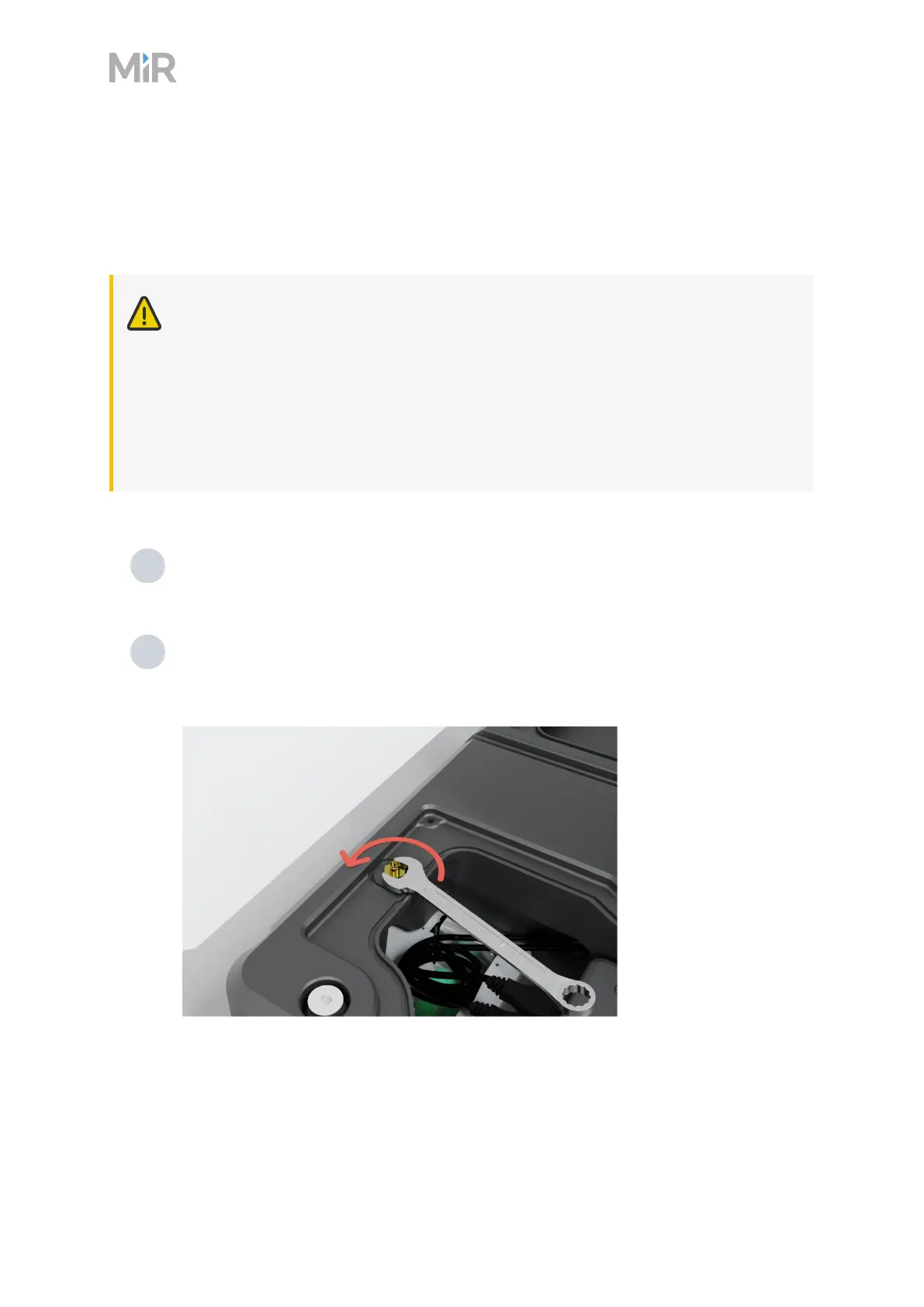
2 Disconnect the antenna cables by unscrewing the two nuts from the antenna
connectors. Use a 10 mm wrench, and push the antenna connectors through the
covers.



 To Next Page