4. Unboxing
MiR250 Hook Integrator Manual (en) 12/2023 - v.3.0 ©Copyright 2021–2023: Mobile Industrial Robots A/S. 60
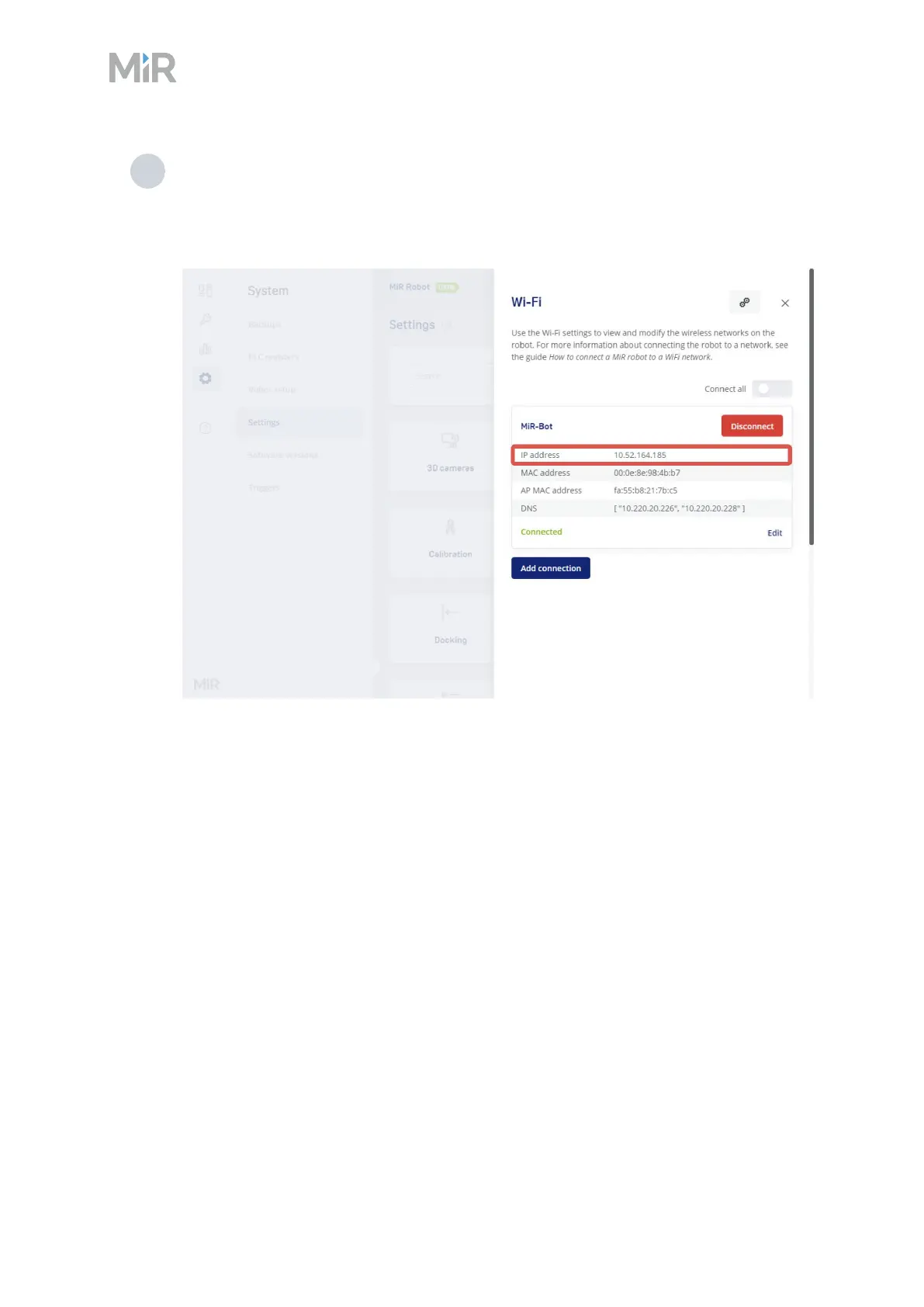
4 Select Add connection when you have finished. The robot is now connected to the
network. When you are connected to the same network, you can access the robot's
interface by entering the IPaddress displayed under the connection description into
your internet browser.
To disconnect the robot from a Wi-Fi network, select Disconnect.
4.8 Enabling dynamic footprint and SICK configuration
MiR250Dynamic is a variation of the standard MiR250 robot that enables greater agility and
efficiency in tight spaces at the cost of reducing the safety performance of the robot.
MiR250Dynamic is delivered as a standard MiR250 robot and you must apply the following
changes to make the robot have the MiR250Dynamic capabilities:



 To Next Page