7. Usage
MiR250 Hook Integrator Manual (en) 12/2023 - v.3.0 ©Copyright 2021–2023: Mobile Industrial Robots A/S. 99
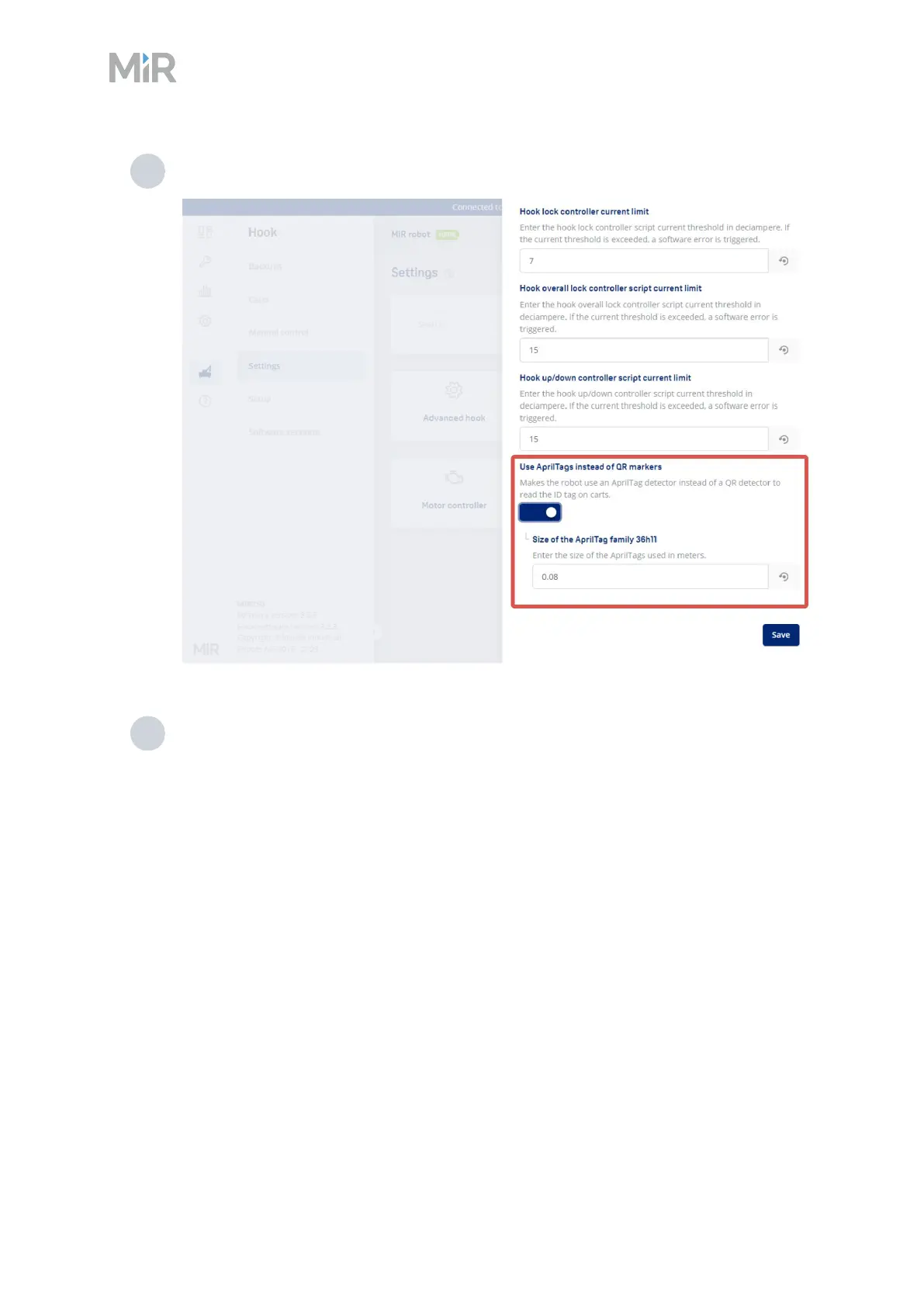
2 Activate Use AprilTags instead of QR markers, and enter the size of the AprilTags.
3 Select Save.
QR markers
The QR code contains the dimension of the marker and a unique name.
The format is SizeUnit-Name.
l
Size: The length of one of the sides of the quadratic QR code.
l
Unit: The measuring-unit of the size, for example, mm (millimeters) or in (inches).
l
“-”: Remember the hyphen - which separates size and unit from the name.
l
Name: A unique name displayed in the system.
Figure 7.5 This QR code reads 75mm-Cart_A



 To Next Page