Input methods
On-screen dialpad
The Mitel 6970 IP Conference Phone has an on-screen dialpad with digits from 0 through 9, a star
button (*) and a pound button (#). Buttons 2 through 9 contain the letters of the alphabet. These
dialpad buttons can be used to dial a phone number to make a call (see “Making calls” on page 18)
and to enter digits requested by an Interactive Voice Response (IVR) system.
On-screen keyboard
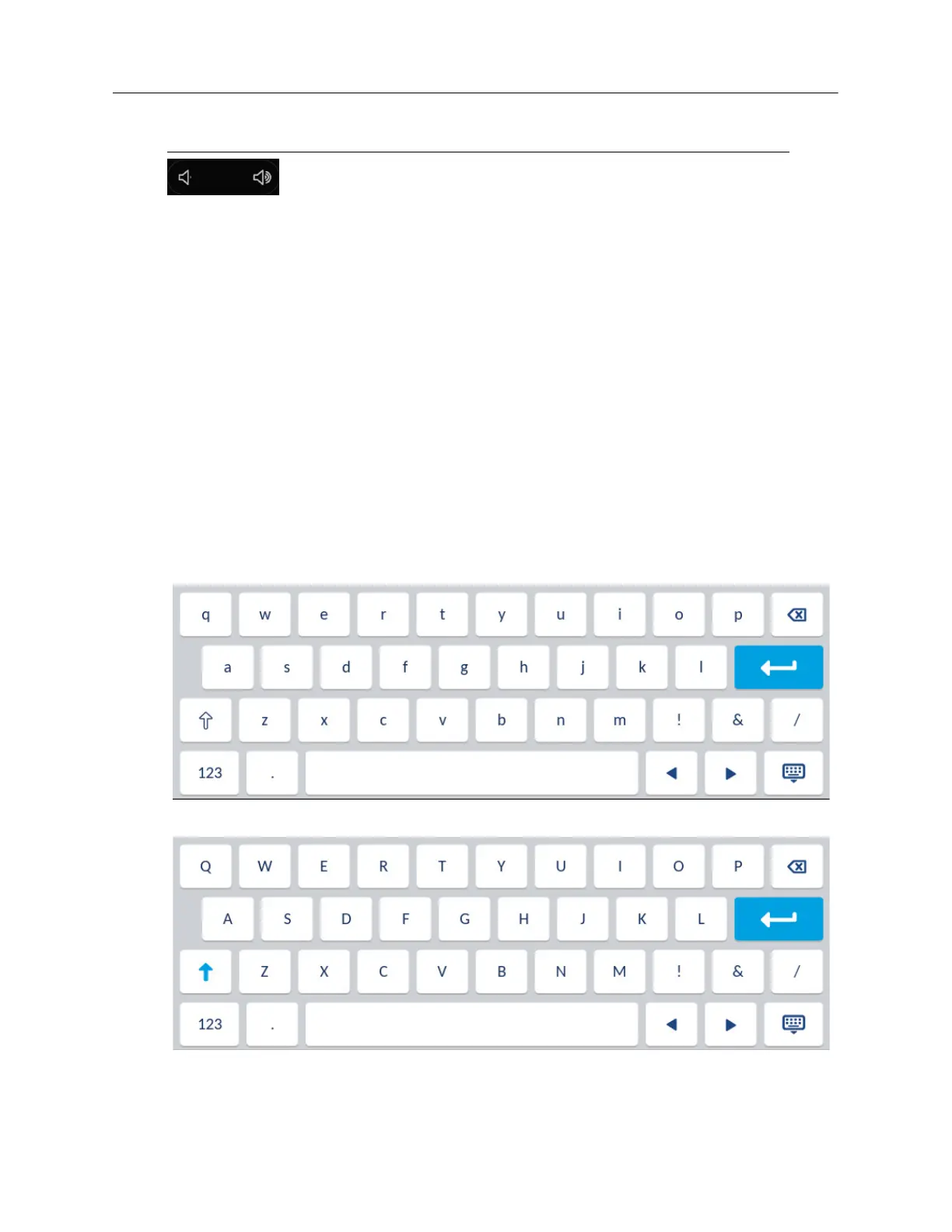
The Mitel 6970 IP Conference Phone uses an on-screen international keyboard for character input.
The on-screen international keyboard is automatically displayed in various applications when
character input is required.
The lower case layout of the on-screen international keyboard is as follows:
The upper case layout of the on-screen international keyboard is as follows:
Volume Up, Volume Down - Adjusts the volume for the ringer and the
speakerphone.
Press the volume control keys while the phone is ringing to adjust the ringer
volume. Pressing these keys during an active call adjusts the volume of the
speaker.
Key Description



 To Next Page