Mitel 6970 IP Conference Phone User Guide
Configuring softkeys
Your Mitel 6970 IP phone has 12 multi-function top softkeys and 6 multi-function bottom softkeys:
• 12 top softkeys: programmable non-state-based softkeys (up to 48 programmable functions)
• 6 bottom softkeys: programmable state-based softkeys (up to 30 programmable functions)
You can program or edit the Speed Dial function on the top or bottom softkeys by tapping and holding
the respective softkey for the configured duration.
For more information on how to configure the other softkeys through the Mitel Web UI, see the Mitel
6940 SIP Phone User Guide or contact your System Administrator.
Configuring Speed Dial softkeys
The Speed Dial softkey allows you to dial a specified number with one tap of the key. Speed Dial
softkeys can be useful as they can be programmed to dial external numbers, dial directly to another
person’s extension or quickly access features that use feature access codes. You can also transfer
calls to or create conference calls using your Speed Dial softkeys in place of dialing out manually.
Press-and-hold to create a Speed Dial
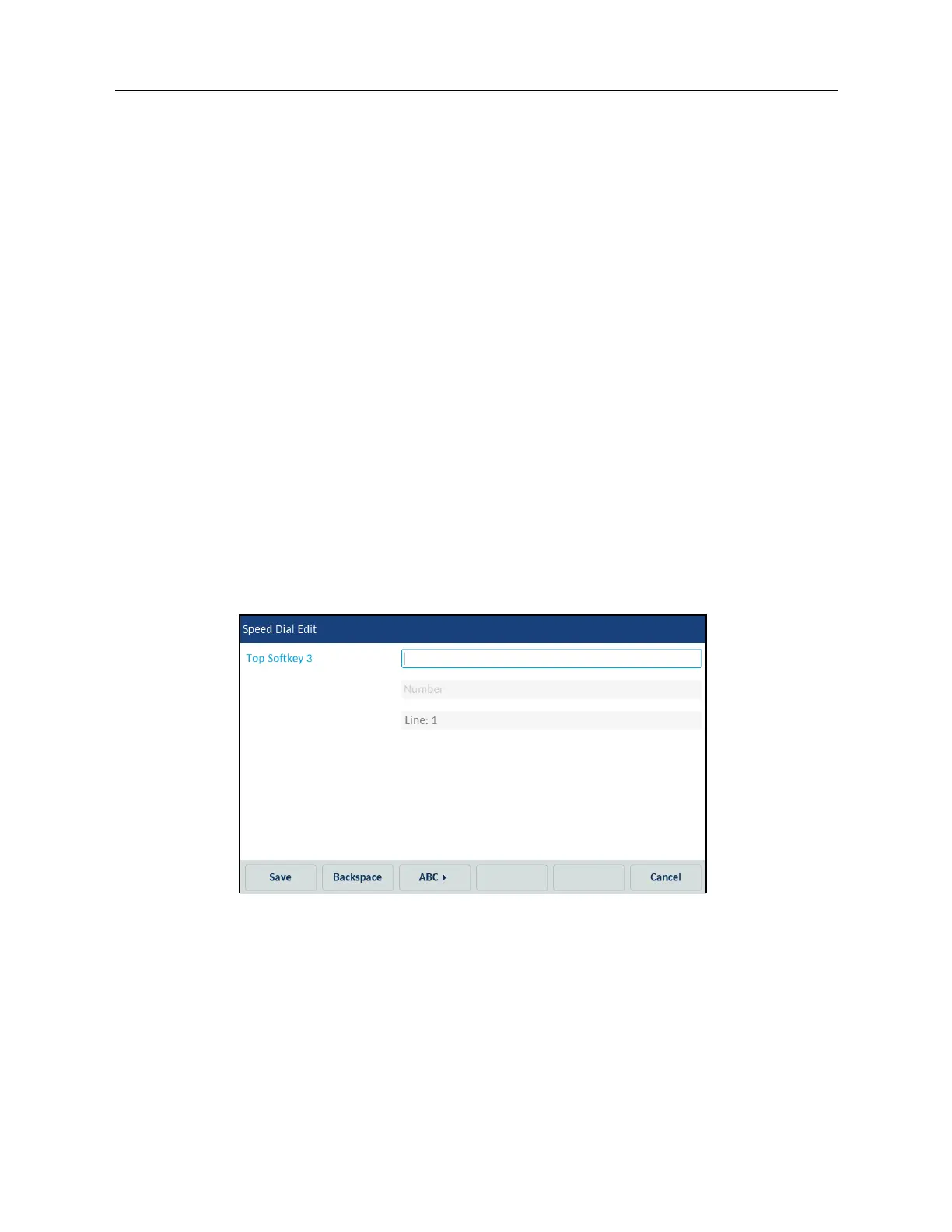
To program or edit a Speed Dial softkey:
1. Press and hold the applicable top or bottom softkey for the configured duration.
2. In the Top Softkey field, enter a label to apply to the key using the on-screen keyboard.
3. Tap the Number field and enter a number using the on-screen keyboard.
4. In the Line field select a line to apply to the key.
This is the line that the phone opens to dial the number after you tap the respective Speed Dial
softkey. By default, the phone uses Line 1 for the Speed Dial softkey. If you want to use a different
line, tap the left or right arrow buttons to select another line.
5. Tap the Save softkey.



 To Next Page