Mitel 6970 IP Conference Phone User Guide
Receiving calls
When you have an ongoing call, you can use the phone’s keys and softkeys to perform various
actions, such as muting the microphone, transferring calls or creating multi-party conference calls.
When a call is ringing at your extension, the callers name, number, and avatar (if available) display
on the Call screen.
Answering an incoming call
If you see on the phone screen an indication that a contact is calling you and hear a corresponding
ring sound, tap the Answer softkey to answer the incoming call.
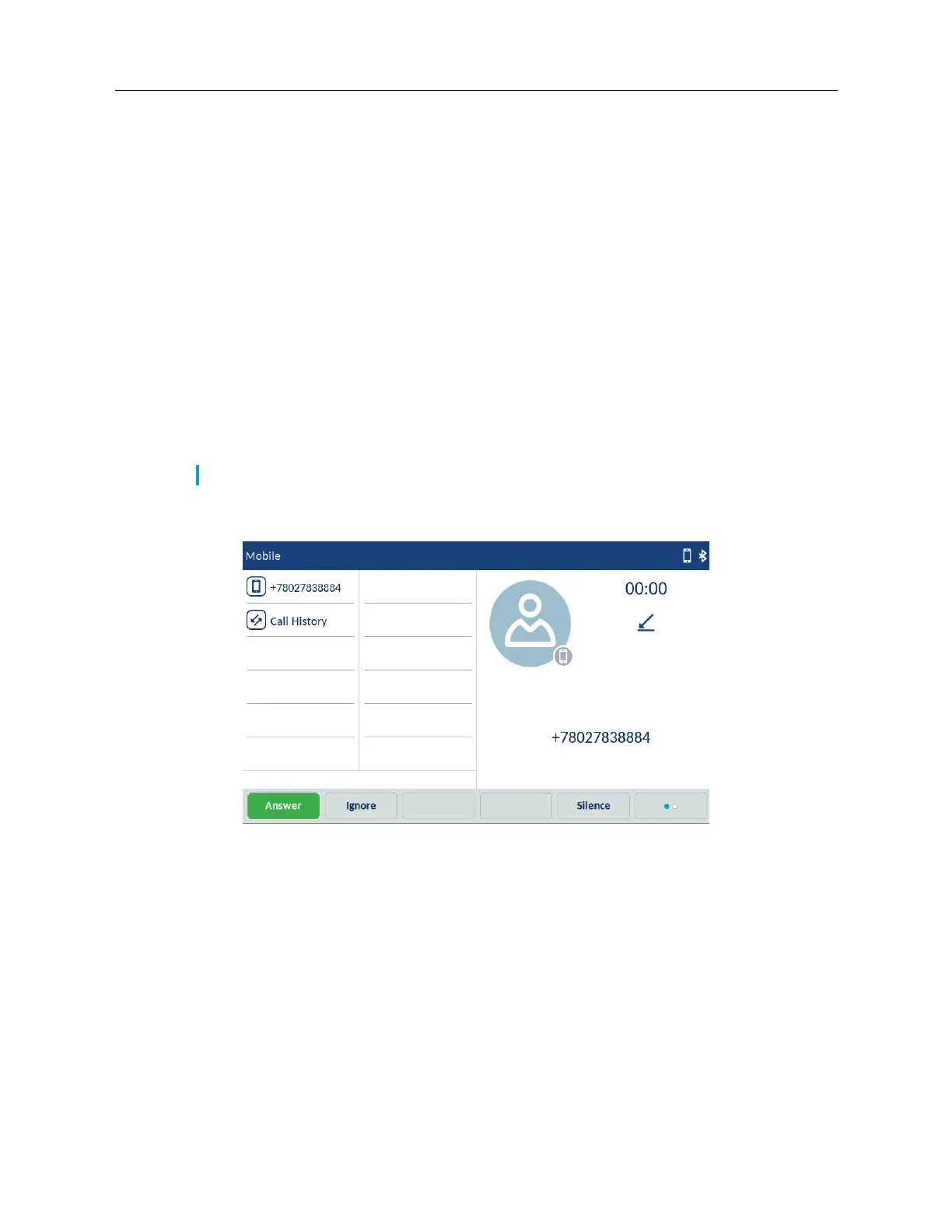
Answering an incoming MobileLink call
You can pair a Bluetooth mobile phone and answer the incoming calls of the paired mobile phone
using the MobileLink feature. For more information, see “MobileLink” on page 61.
When you receive an incoming MobileLink call, the name of the Mobile softkey changes to the
number or the name of the calling contact and the Mobile label appears in the status bar.
To answer an incoming MobileLink call:
1. Tap the Answer softkey.
or
Tap the Mobile softkey.
Ignoring an incoming call
To ignore an incoming call:
Tap the Ignore softkey.
or
Note: You can use this procedure only in the Logged in state.



 To Next Page