Mitel 6970 IP Conference Phone User Guide
Accessory support
Corded Extension Microphones
To ensure better coverage of the larger premises, the Mitel 6970 IP Conference Phone supports up
to 2 extension microphones. Use of the extension microphone will extend the pick up range of the
phone to allow it to be used in large boardrooms.
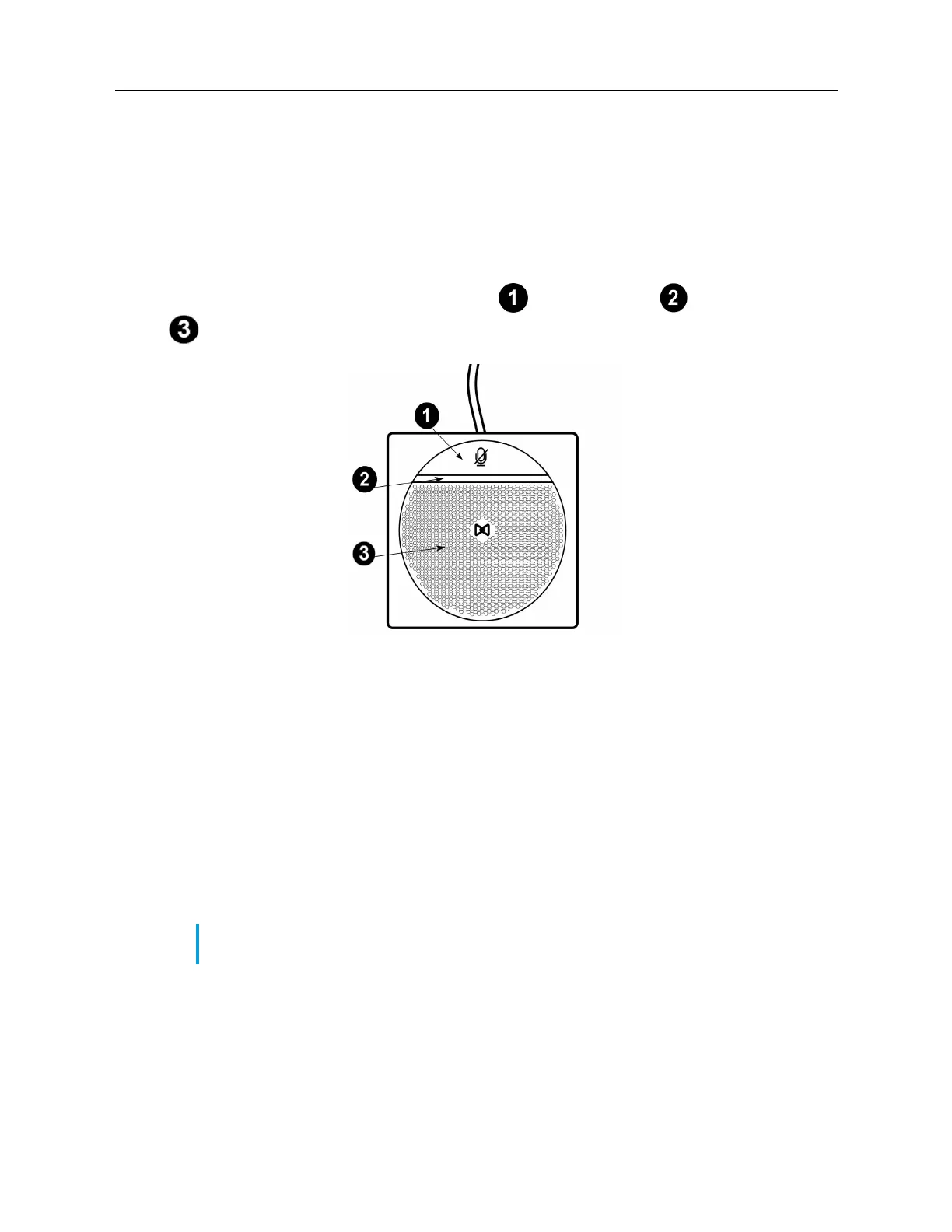
Each extension microphone has a Mute button , an LED indicator , and the microphone
.
LED indicators
The extension microphone LEDs are intended to indicate the state of the call. The indicators are
bi-color: green or red. Green shows an active call and red indicates that the active call is muted.
Possible combinations with the phone
The Mitel 6970 IP Conference Phone supports the connection of two external microphones via two
connectors in the base of the unit. You can choose to add one or two extension microphones to the
phone, however, the microphones are sold in pairs.
Below are possible placements of the extension microphones showing the angle of the sound
coverage for each of the arrangements.
A. Conference table with the conference phone unit (CU) and one extension microphone attached
Note: The extension microphone(s) must be placed at least 6.5 ft (2 m) from the main unit for
proper operation.



 To Next Page