Mitel 6970 IP Conference Phone User Guide
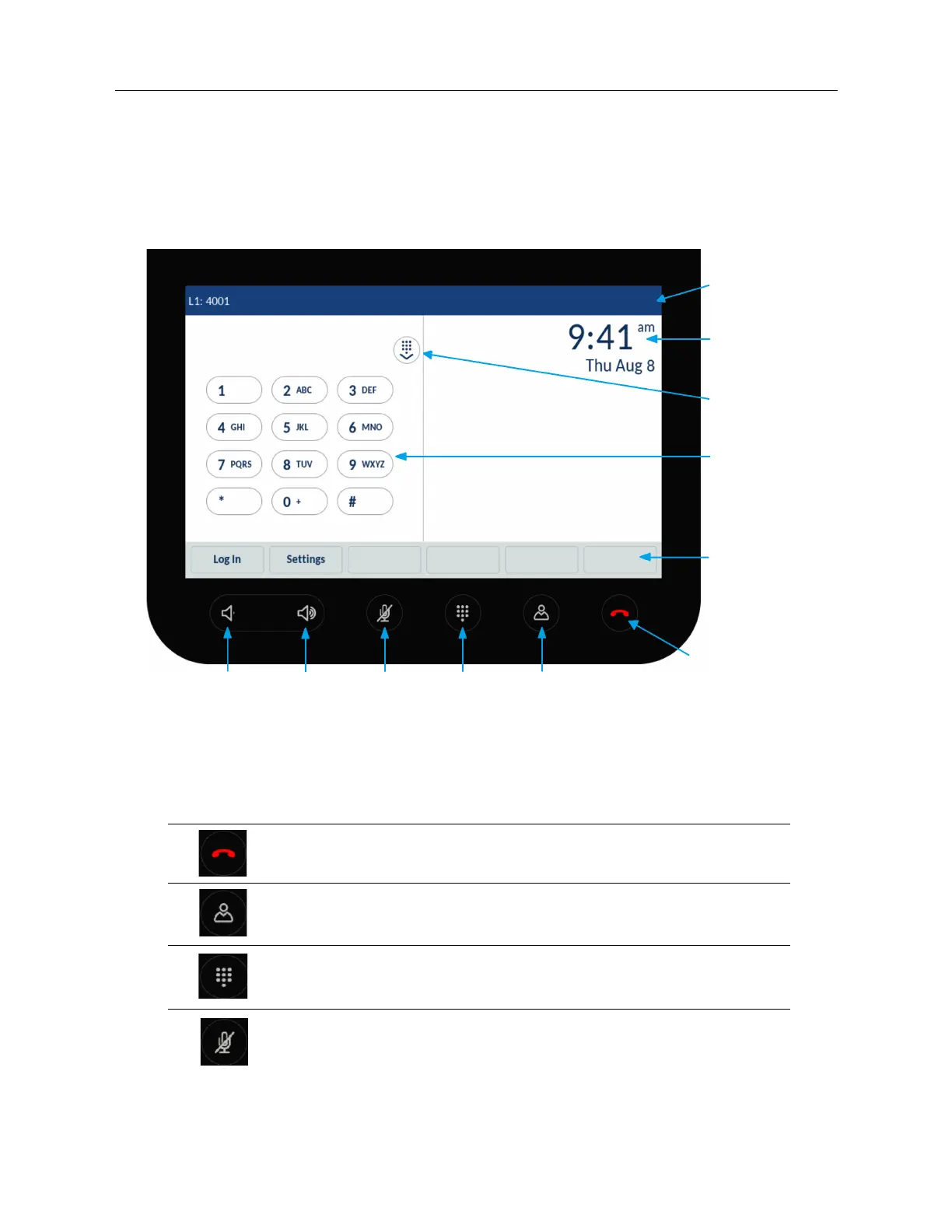
Phone keys
Key overview
The following sections describe the various Mitel 6970 IP Conference Phone key functions used to
make and manage calls and caller information.
Key description
The following table describes the keys on the Mitel 6970 IP Conference Phone:
Key Description
Goodbye key: ends an active call.
Directory key: displays a list of company contacts.
For more information, see “Directory” on page 67.
Dialpad key: opens and closes the dialpad to dial an extension manually.
Mute key: mutes the microphones so that you are not heard during a call.
For more information, see “Muting and unmuting a call” on page 20.
Status Bar
LCD
Touchscreen
Hide Dialpad
Dialpad
Bottom
Softkeys
Goodbye
Directory
Show/Hide
Dialpad
Mute
Volume Up
Volume
Down



 To Next Page