Mitel 6970 IP Conference Phone User Guide
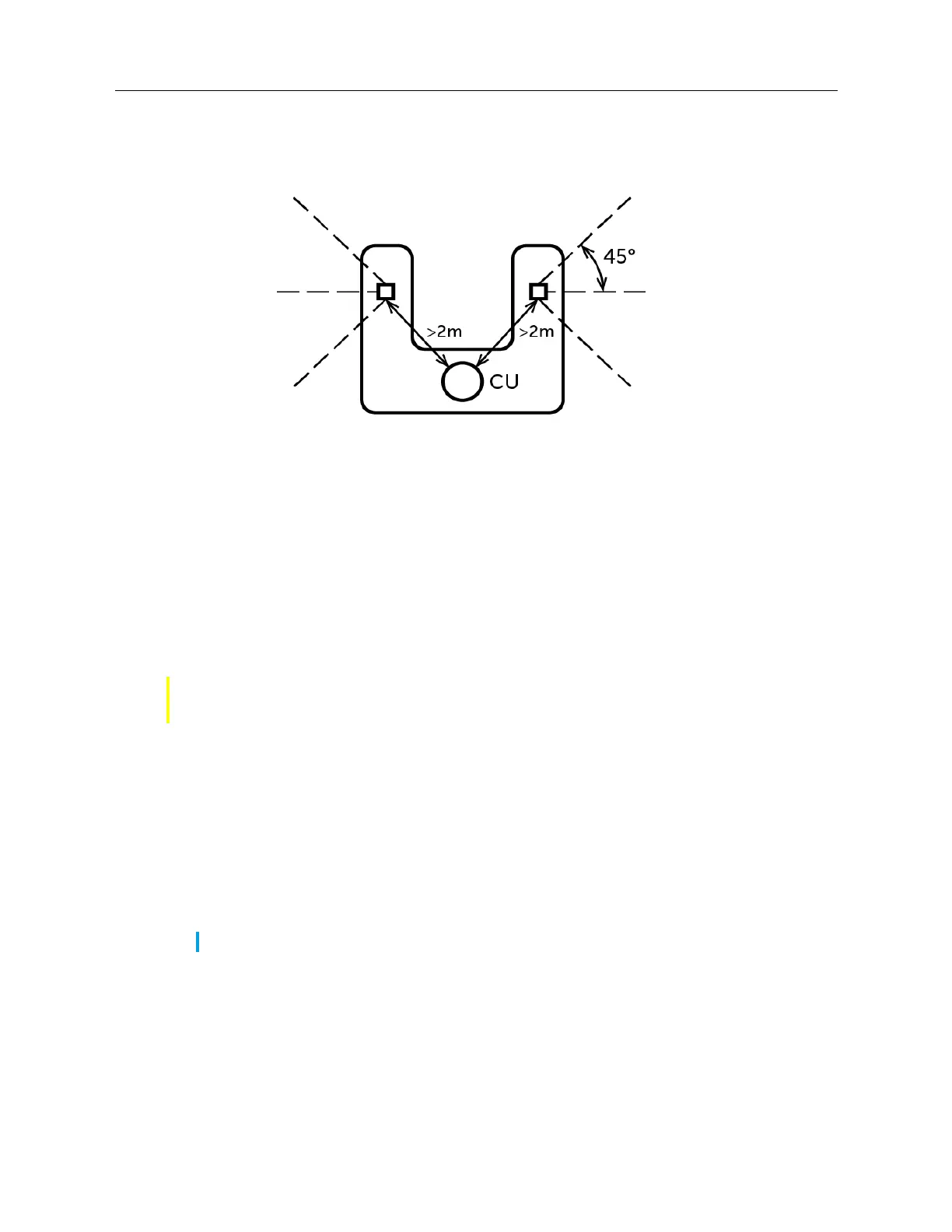
C. A "horseshoe" conference table with the conference phone unit and two extension microphones
attached
The length of the extension microphone cable is up to 8 ft (2.5 m).
Connection of extension microphones
To connect an extension microphone:
1. On the back of the phone, locate the micro-USB input port.
2. Carefully insert the extension microphone cable into the micro-USB input port.
Use of corded extension microphones
To use the corded extension microphones with your Mitel 6970 IP Conference Phone:
1. Connect the extension microphones as described above.
2. Locate them on the conference table so that to boost the sound pick up for all the participants
of the conference call.
3. Answer / make a call.
CAUTION: Plugging any other than a Mitel extension microphone into the port may cause damage
to the conference phone.
Note: Place the microphones flat on the table to boost the pick up in the conference room.



 To Next Page