Mitel 6970 IP Conference Phone User Guide
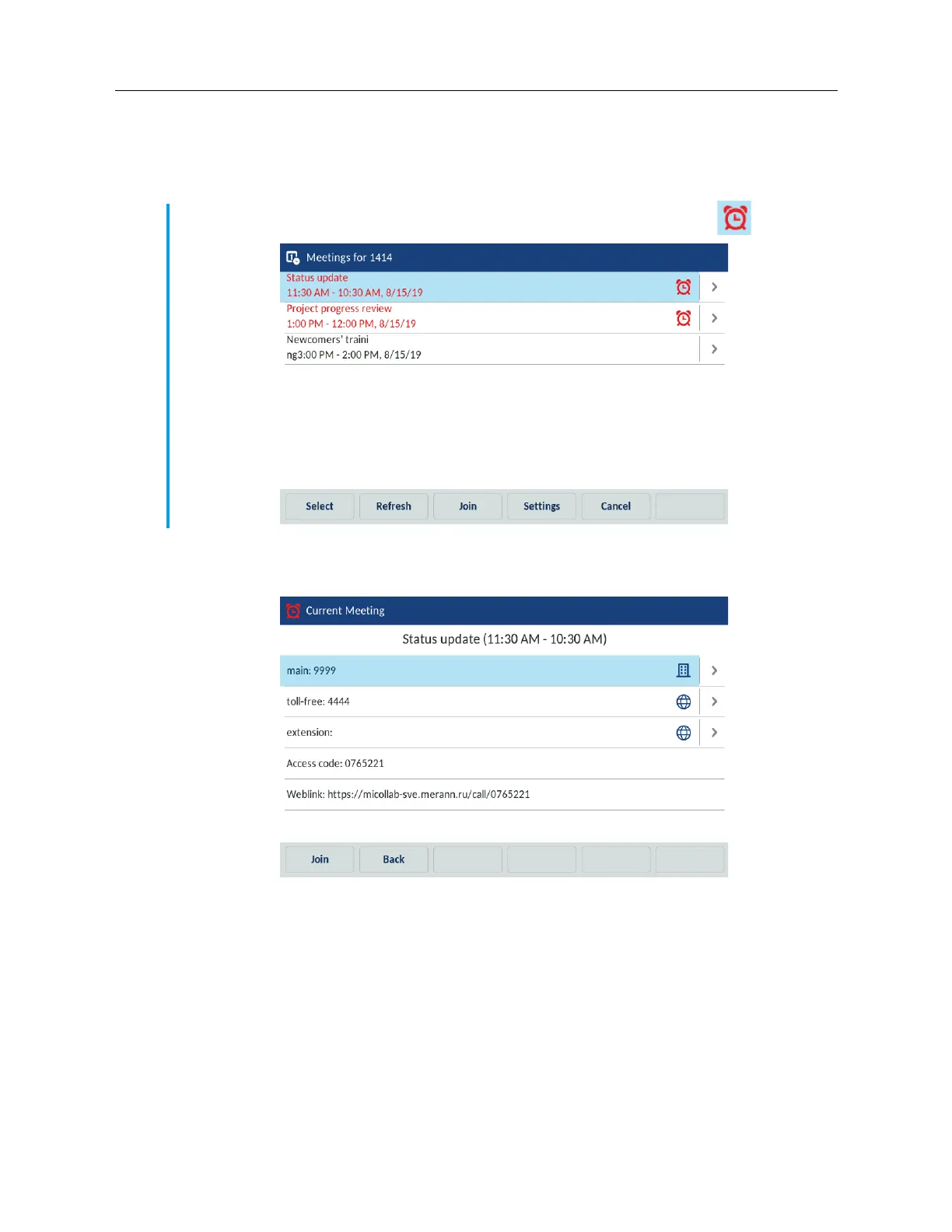
1. On the idle home screen, tap the Meetings softkey.
2. From the list of the meetings available choose the ongoing meeting that you want to join.
3. Tap a meeting from the list and then tap the Join softkey to join the selected meeting.
4. (Optional) Tap the Select softkey to get the details of the meeting.
Configuring meeting notifications
The Mitel 6970 IP Conference Phone can remind the user about the meetings scheduled for a
specific day. The time for the notification is configured by the System Administrator for the MiCollab
Meeting Center application. The user can enable and disable the notifications on the phone by
adjusting the Notifications for meetings setting.
To adjust the Notifications for meetings, do the following
Note: The currently ongoing meetings are marked with the red font and the red (Clock) icon.



 To Next Page