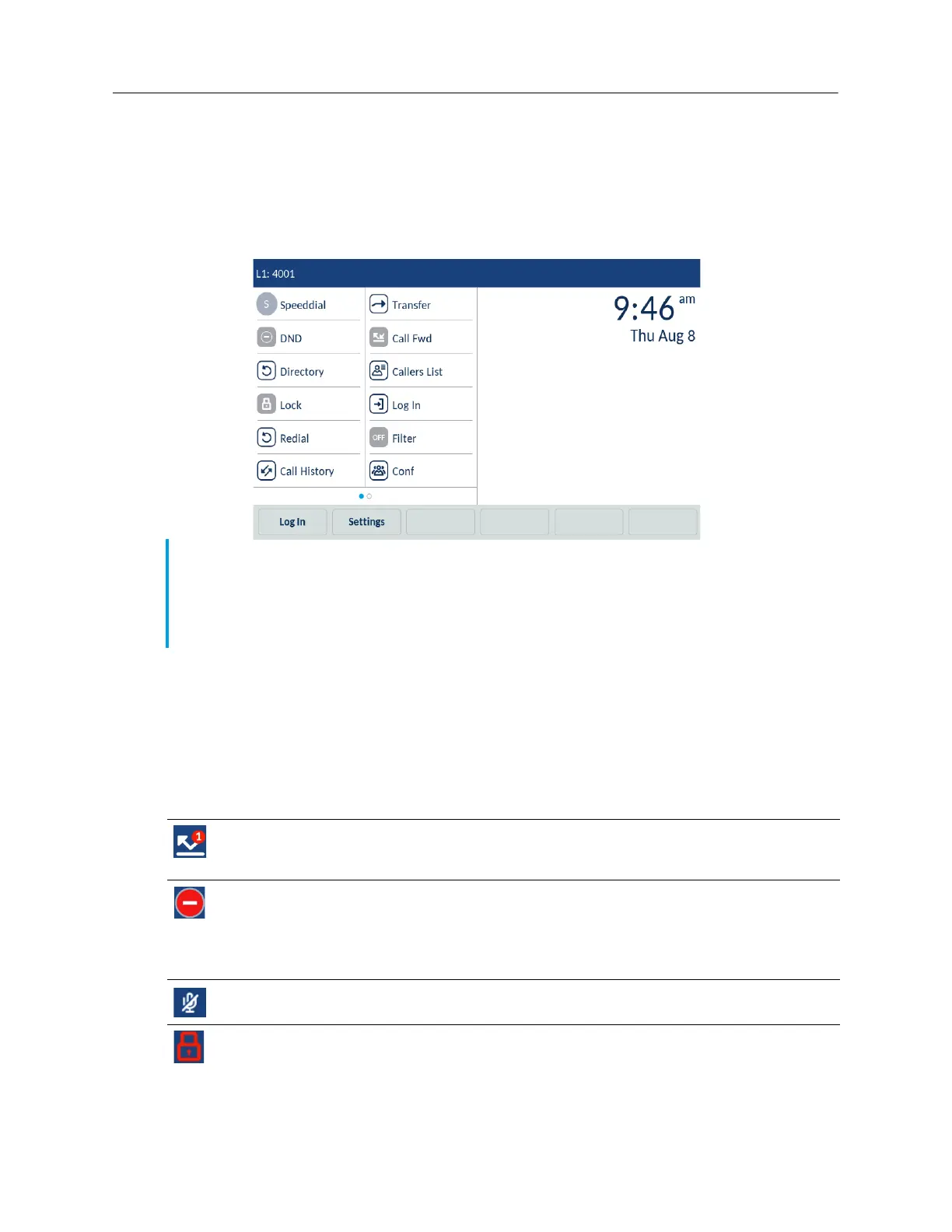
The Home screen displays the following elements in an idle state:
•status bar
• time and date
• top softkeys
• bottom softkeys
Phone and network status indicators
Status icons are displayed on the phone to indicate the status of the phone and network. These
icons are displayed on the status bar.
The following table identifies and describes the phone status indicators.
Notes:
1. The default softkeys are configured by your System Administrator and may differ. If you want
to add or remove softkeys, contact your System Administrator.
2. Avatars are only available if set up by your System Administrator. If avatars are not available,
contact’s initials (if available) or a generic avatar are displayed.
Icon Description
Missed Calls - The Missed Calls icon is displayed on the status bar screen only when incoming
calls have not been received. The number in the red badge at the top-right of the icon indicates
how many calls were missed. To access a list of your missed calls, tap the Call History softkey.
Do Not Disturb - The Do Not Disturb (DND) icon is displayed on the status bar when the Do Not
Disturb feature is enabled. When DND is enabled, callers may hear a signal and a "Do Not
Disturb" notification is displayed on their phones, depending on the configured setting in the
System Administrator Tool.
For more information on the DND feature, see “Configuring softkeys”
on page 45.
Mute - The Mute icon is displayed on the status bar when the Mute key is on.
For more information, see “Muting and unmuting a call” on page 20.
Phone Locked - The lock icon displays on the status bar indicating that the phone is in a locked
state preventing the phone from being used.
For more information, see “Phone Lock” on page 72.



 To Next Page