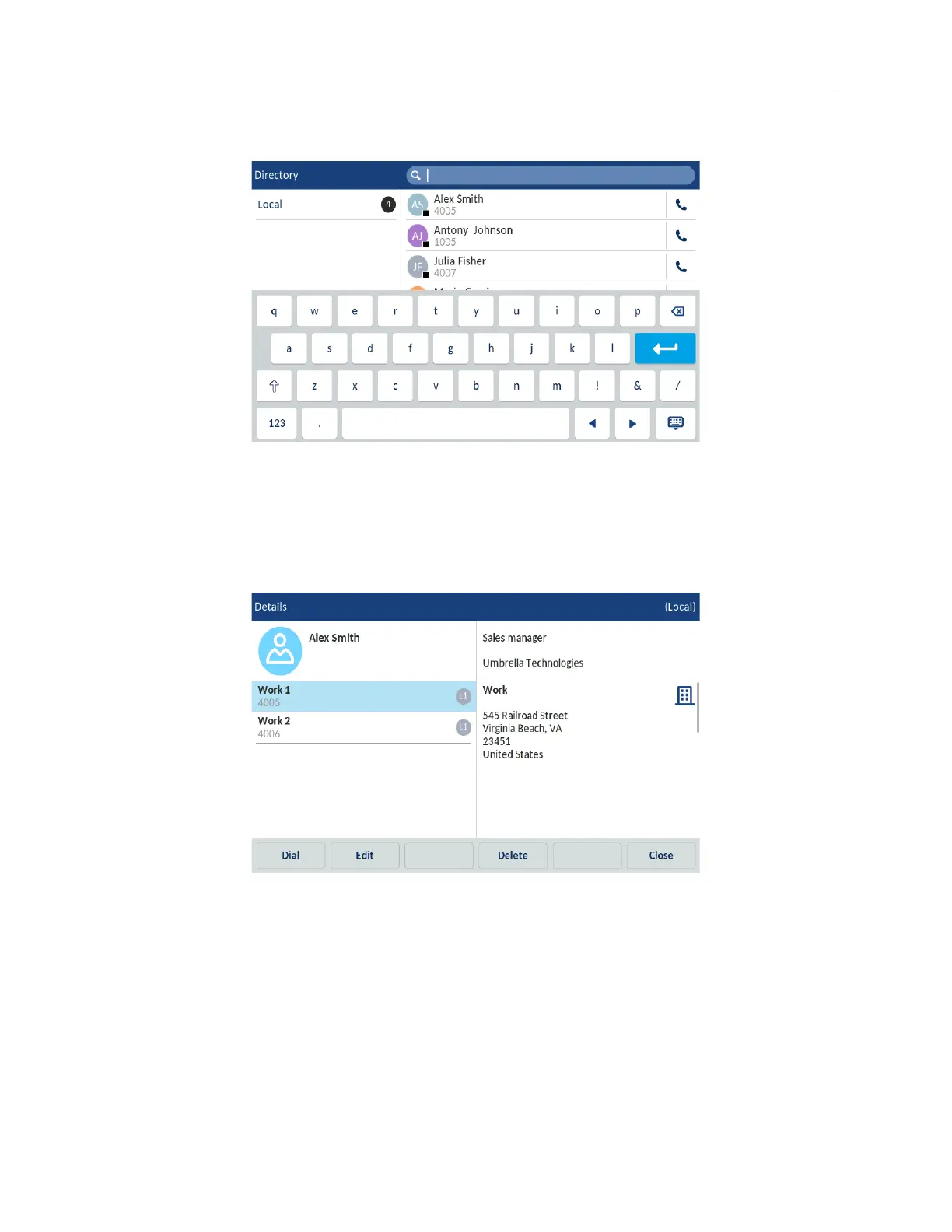
Enter the name of the contact in the search bar. The keyboard automatically pops up when you
tap the search bar.
or
Swipe up and down to scroll through the list of contacts.
4. To dial the selected contact, tap the dial icon beside the contact’s name.
5. Tap the contact name to access the contact card for that contact. This allows you to see
additional numbers that might be available for that contact.
6. Tap the Dial softkey.
7. (Optional) Tap the Close softkey to exit.
Performing a search
Search functionality is applied across all the available and enabled directories. Tapping any dialpad
key or tapping the search bar initiates the search. After entering the first few letters of the contacts
first name, last name, or company name, you can then quickly select a contact and perform the
desired action. If external Directory sources are configured and enabled, you can select a contact



 To Next Page