Mitel 6970 IP Conference Phone User Guide
from the consolidated “All” folder to perform an action, or navigate to the contact in the specific
Directory folder to perform the desired action.
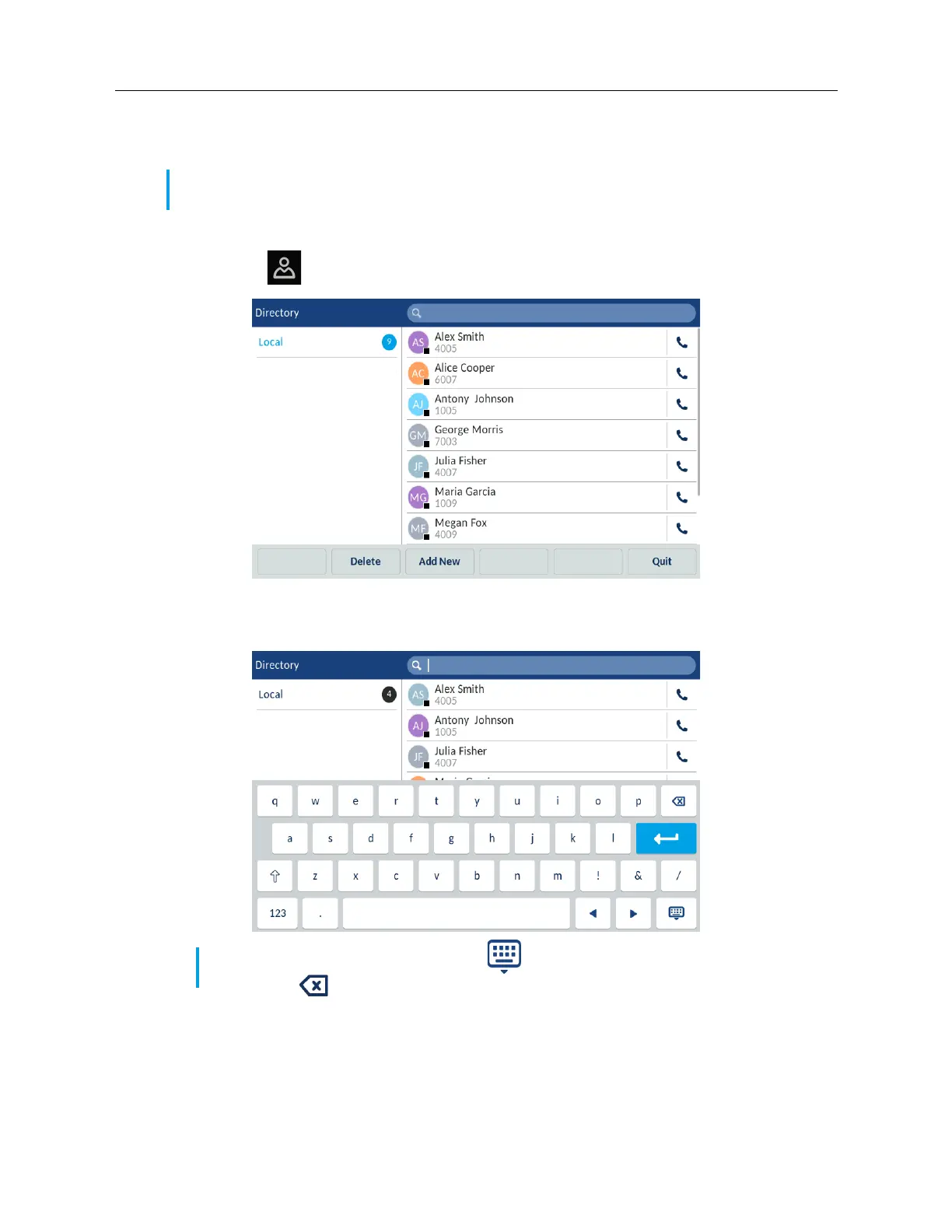
To perform a search:
1. Tap the
(Directory) key.
2. Tap the search bar.
The phone displays the on-screen keyboard.
3. Enter the first letters of the contact’s name using the on-screen keyboard.
4. As you type, the phone returns matches for the characters that have been entered. Typing
more characters narrows the search providing a closer set of matches to the desired name you
are searching for.
Note: Depending on how your Administrator has configured the search functionality, you may
need to tap a Search softkey in order to execute the search function.
Note: Hide the keyboard by tapping the (Keyboard) icon or clear the search field by
tapping the (Delete) icon.



 To Next Page