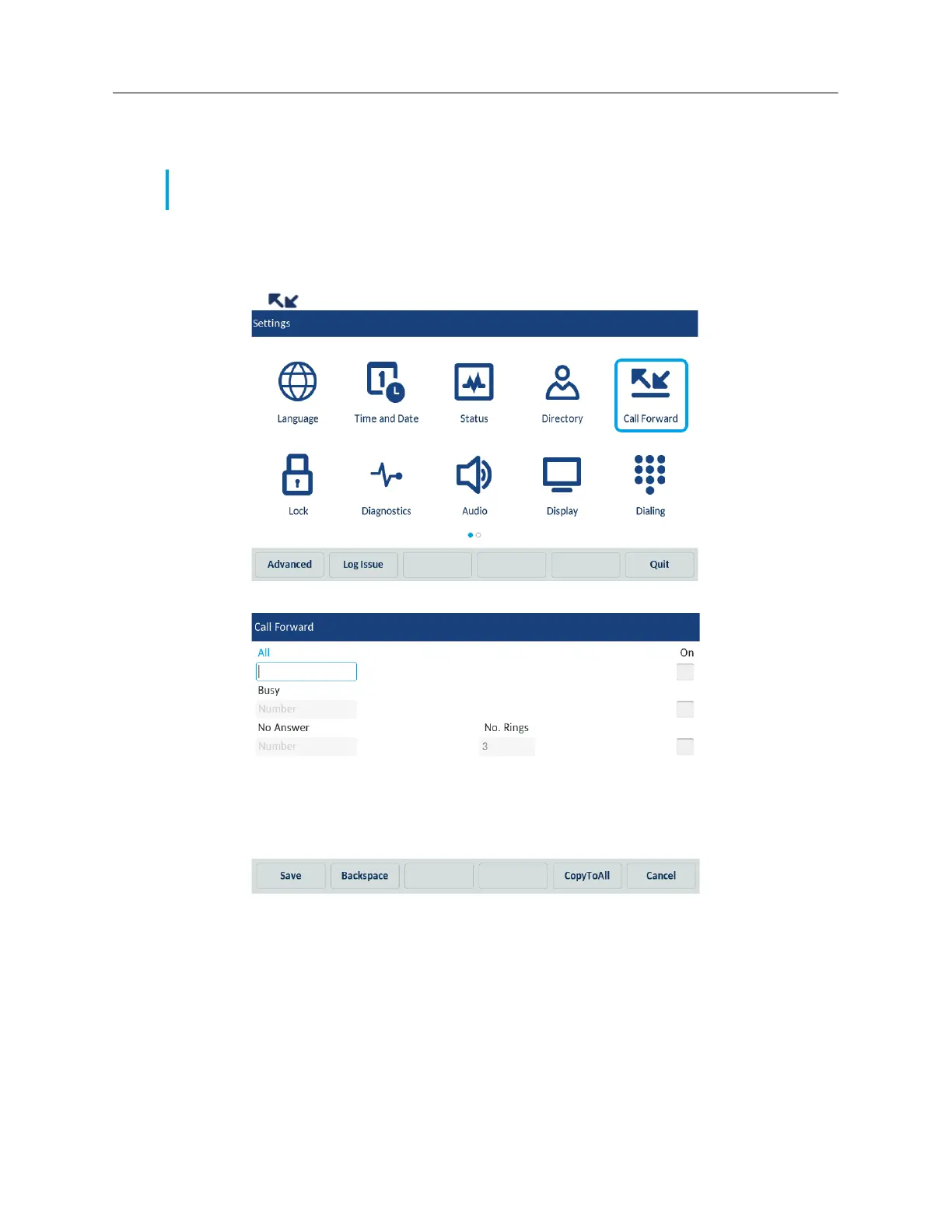
You can enable different call forward modes independently. For example, you can set different phone
numbers for Always, Busy, and No Answer, and then turn them on/off individually.
To configure call forward settings:
1. Tap the Settings softkey on the phone screen to open the Settings menu.
2. Tap the (Call Forward) icon.
The phone displays the following Call Forward screen:
3. Enter forwarding numbers using the dialpad keys or on-screen keyboard for any of the following
states:
• All: Forwards all incoming calls for the respective account to the specified number.
• Busy: Forwards incoming calls to a specified number if the account is currently engaged in
another call.
Note: If voicemail is enabled, call forwarding numbers may already be defined by your System
Administrator.



 To Next Page