122 Cleaning of cleaning wiper
[4]
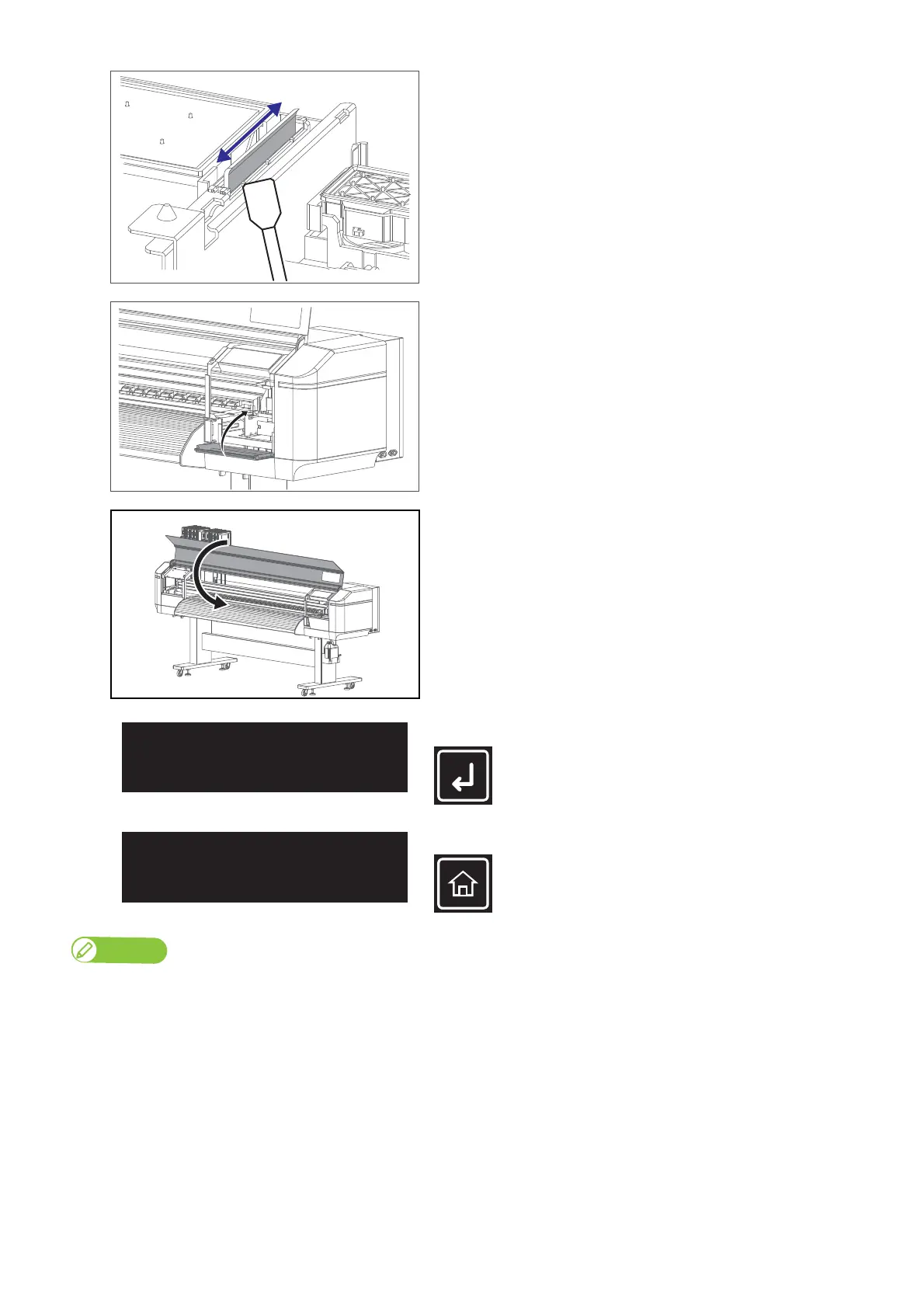
Wipe the right side of the wiper back and forth.
[5]
Close the maintenance cover.
[6]
Close the front cover.
[7]
Tap [Enter].
[8]
Tap [Home] to end the cleaning process.
Note
Used cleaning stick should be put in a plastic bag, etc, and dispose of it in compliance with local ordinance and instructions of local authorities.
CR Maintenance
End -> Enter
CR Maintenance
Start -> Enter



 To Next Page