Long-term storage 139
[6]
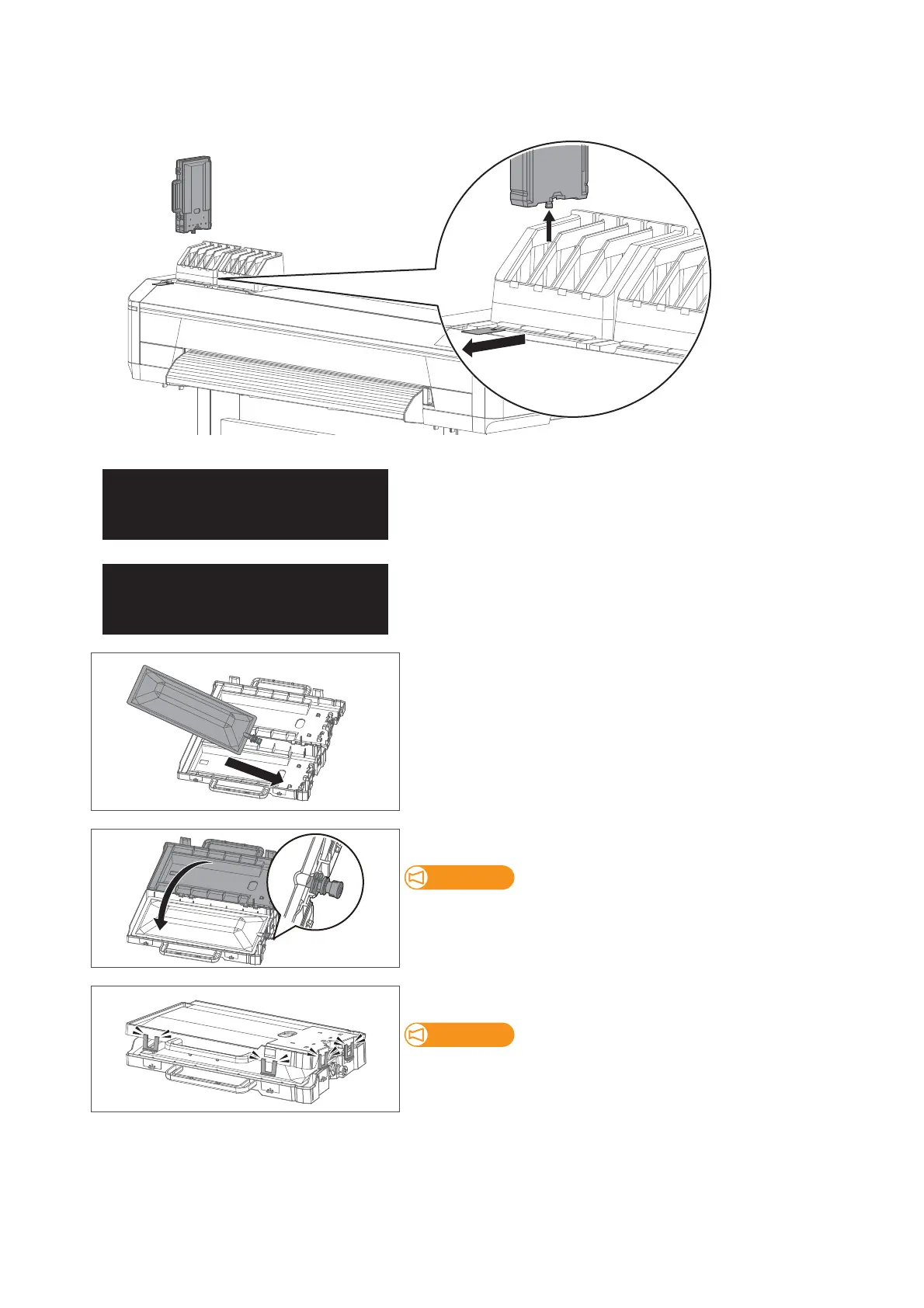
Remove all ink bag cases and S/C cards.
• Store the ink bag together with the corresponding S/C card.
The message on the left will appear.
• Ink discharging begins.
When the discharge is complete, the message to the left is displayed.
[7]
Put the cleaning bag into the case.
[8]
Close the ink bag case.
Make sure the spout of cleaning bag is properly fitted into the groove in
the case.
If not fitted, the printer cannot correctly detect cleaning bag.
Close all the latches (×4) of the case properly.
Check that all the latches (×4) are closed.
If not, it may cause cleaner spillage.



 To Next Page