26 Load a roll media into the printer
[4]
Twist the knob bolt on the right side of the media holder clockwise to
tighten.
4. Load the media into the printer
[1]
Check that the printer is powered on.
[2]
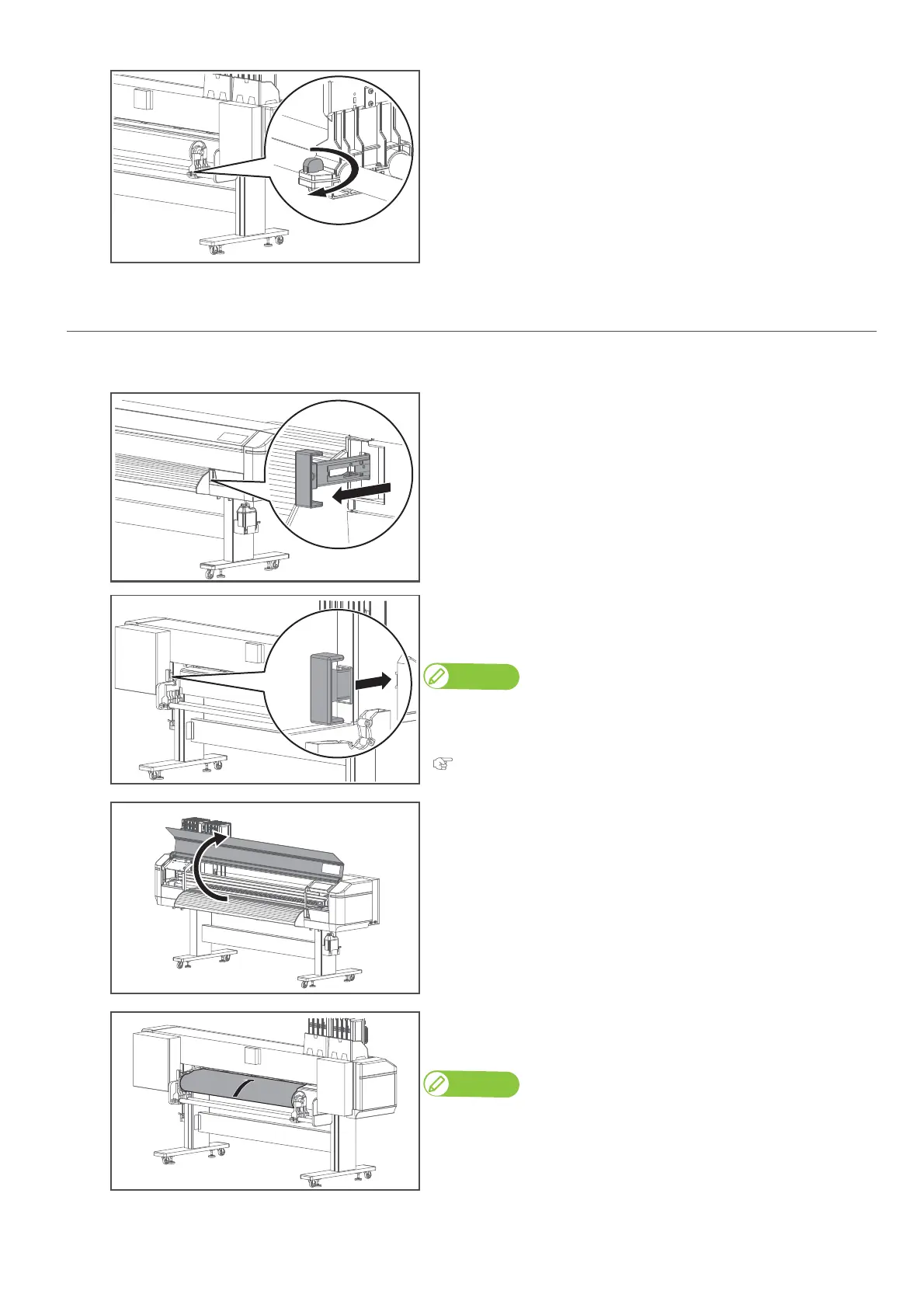
From the front side of the printer, pull the media feed lever towards
you as much as possible to release the pressure rollers.
You can access to the media feed lever from the rear side of the printer.
• To release the pressure rollers, push the media feed lever.
• To lock the pressure rollers, pull it towards you.
Using this lever, the holddown pressure can be changed between High and
Normal. To apply high pressure, pull the lever towards you as much as
possible.
"Changing holddown pressure using media feed lever" P. 41
[3]
Open the front cover.
[4]
From the rear side of the printer, insert the front edge of the media
into the media slot.
Note
Before inserting, rewind the media properly.



 To Next Page