ACCESS GATEWAY
162 System Administration
2.
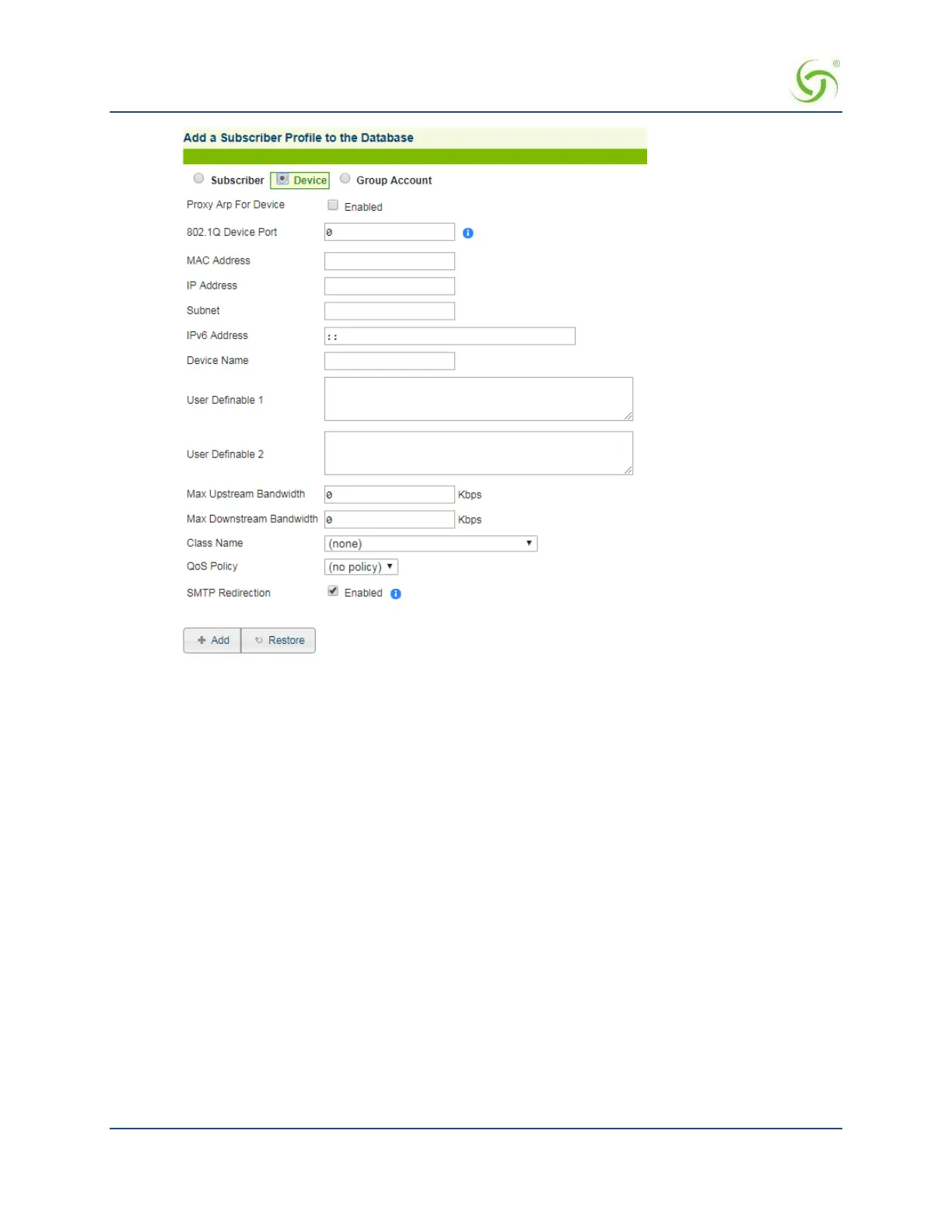
Choose the Device account type for this profile.
3.
If required, enable the Proxy Arp For Device feature.
4.
Set the 802.1Q Device Port if the device is connected to a specific VLAN.
5.
Enter a valid MAC Address for the device.
6.
Enter the IP Address of the device.
7.
Enter a valid Subnet address for this device.
8.
Enter the IPv6 address for this device.
9.
In the Username field, enter a user name for this device.
10.
The next two fields (User Definable 1 and User Definable 2) are optional. Use these fields for simple
notations about the device.
11.
Define the Min Upstream Bandwidth and Max Upstream Bandwidth range for this device (in Kbps).
12.
Define the Min Downstream Bandwidth and Max Downstream Bandwidth range for this device (in
Kbps).
13.
If using Class-Based Queuing, enter the primary and subclass for this device in the Class
field. Enter
these values in the format: <top-level class>.<subclass> (top-level class and subclass separated
by a period). See Class-Based Queueing on page 9 and Class-Based Queueing on page 84.
14.
Select a policy from the QoS Policy menu.
See
Setting up Quality of Service {QoS}
on
page 122 for more
information.



 To Next Page