Page 130 of 206 Troubleshooting
553-3001-304 Standard 3.00 September 2004
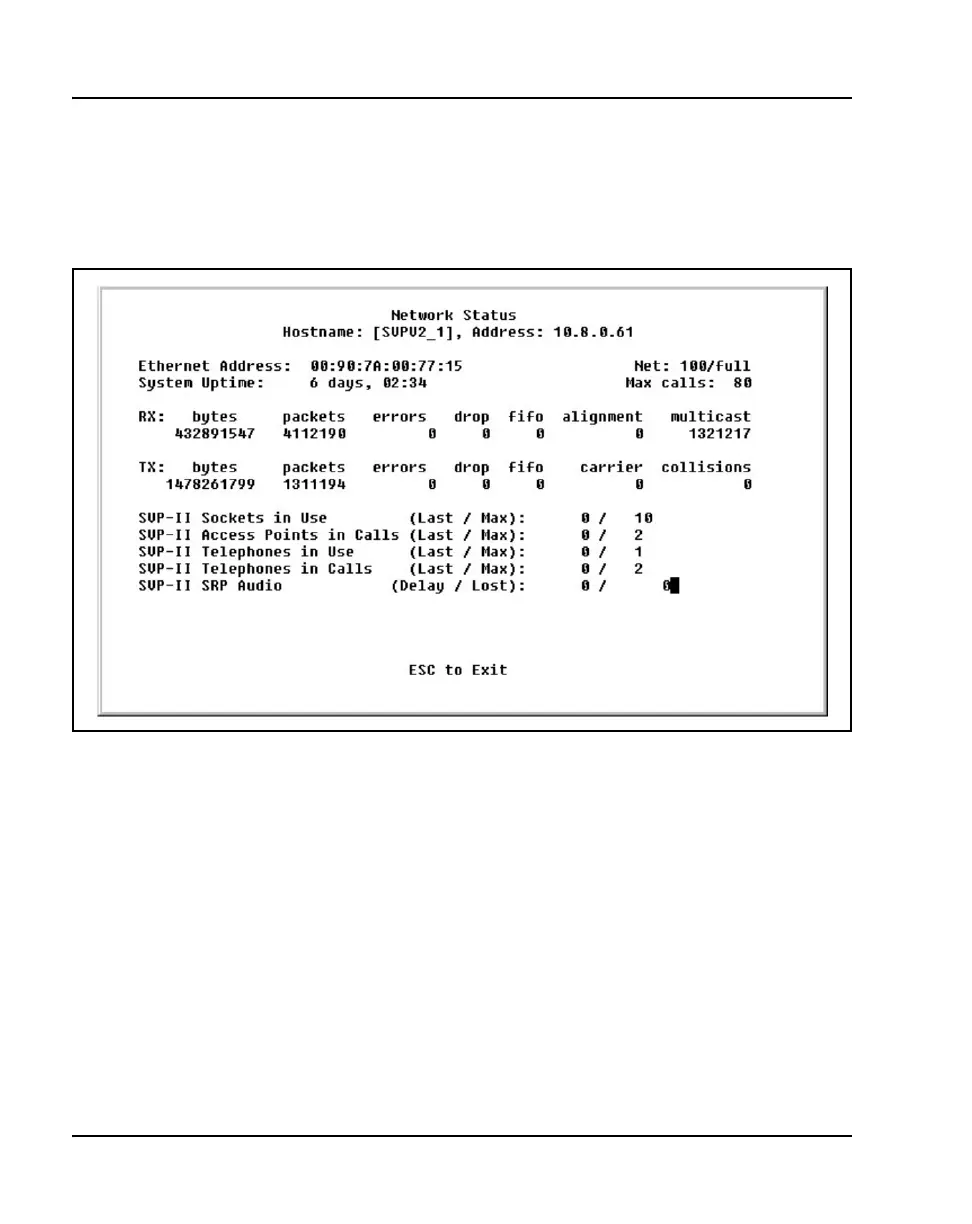
To access the Network Status screen, select Network Status from the
System Status Menu screen. The Network Status screen is shown in
Figure 16 on page 130.
Figure 16
Network Status screen
The following information can be viewed:
• Ethernet Address – MAC address of the WLAN IP Telephony Manager
2245 (hexadecimal).
• System Uptime – the number of days, hours, and minutes since the
WLAN IP Telephony Manager 2245 was last reset.
• Net – the type of connection to the Ethernet switch currently utilized.
Displayed as 10 (10BaseT) or 100 (100BaseT)/half-duplex, full-duplex,
or auto-negotiate.
• maximum calls – number of calls that can be supported by the WLAN
IP Telephony Manager 2245 (depends on network speed).



 To Next Page