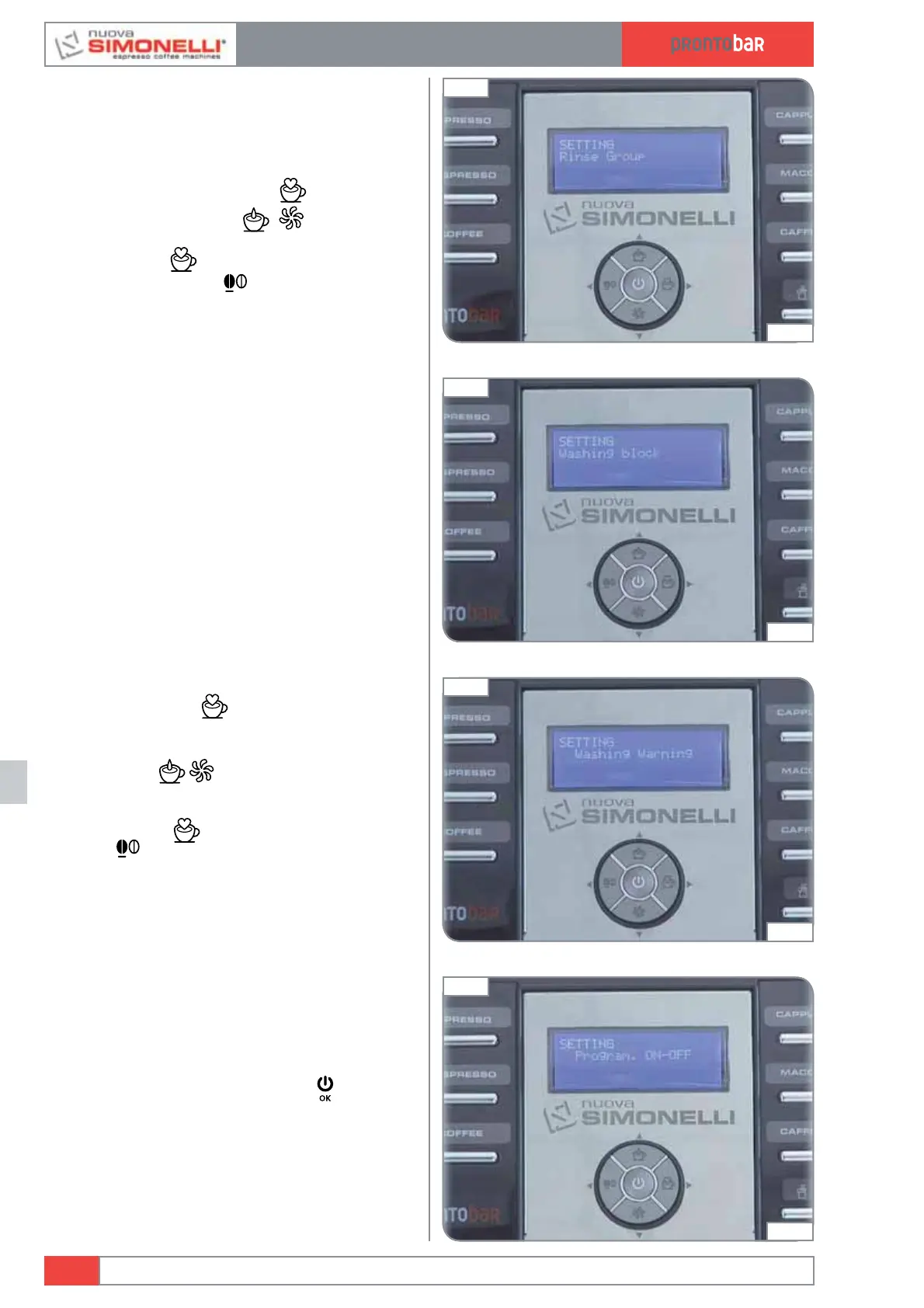
RINSE GROUP
It can be set to ON/OFF. If set on ON, the
machine will carry out a rinsing cycle of the group
20 minutes after the last cycle if the machine is
not being used.
By pressing the ENTER key
the submenu
can be accessed; keys
allow you to
select ON-OFF.
Press ENTER
to confirm the setting, then
press the RESET key
to exit the submenu.
WASHING BLOCK
It is possible to programme the number of beverages
before the machine enters block mode with the message
WASHING on the display. Pressing the ENTER key, it
is possible to enter the submenu; the
ĹĻ keys serve to
increase or reduce the number of cycles (0-10-20-40-80-
160-NO LIMIT); with 0 the machine enters block mode
immediately when the WASHING alarm appears; with
10-20-40-80-160, the machine enters block mode after
10-20-40-80-160 pours; with NO LIMIT S the machine
will not enter block mode. Press ENTER to confirm the
setting.
WASHING WARNING
Pressing
ENTER
it is possible to enter
the sub menu. This programmes the number of
cycles after which the group wash warning is
displayed. The
keys are used to increase/
decrease the number of cycles for viewing the
group wash message (min. 50 – max. NO LIMIT).
Press ENTER
to confirm settings. Press
RESET
to quit the submenu.
PROGRAM ON OFF
This is to programme the automatic ON/OFF
times for the machine. The default setting is
for the machine to be set to “STANDBY” every
day of the week and therefore, it needs to be
switched on/ off using the ON/OFF
key.
Edition 02 to 02/2014
12.12
SERVICE MANUAL
Fig. 292
04:23
Fig. 293
04:28
Fig. 294
04:34
Fig. 295
04:44













 To Next Page