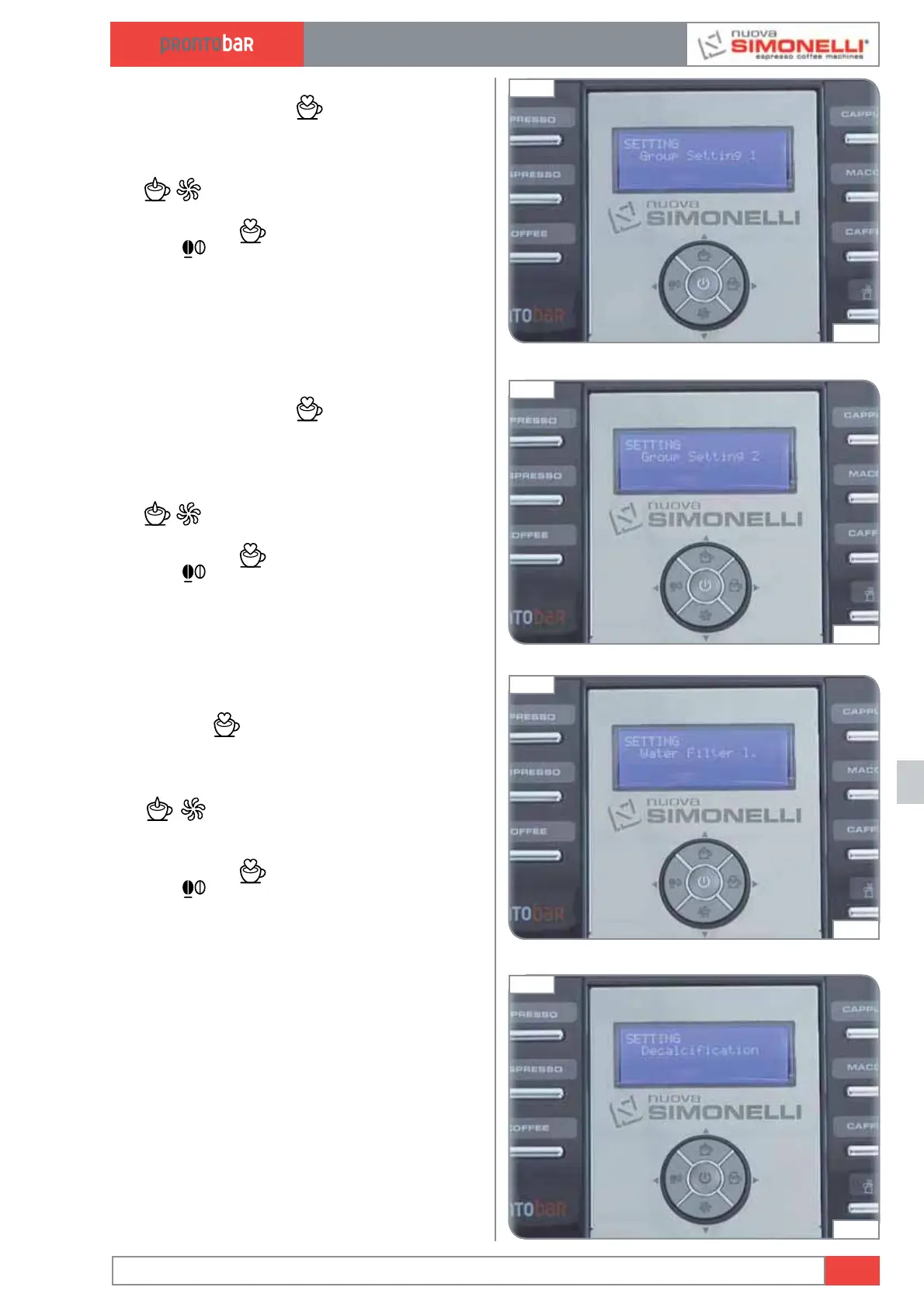
GROUP SETTING 1
Pressing the ENTER
key, the sub-menu
can be entered. The number of ENCODER impuls-
es is programmed because the infusion chamber
reaches the stand-by position.
The
keys increase/decrease the number
of ENCODER impulses.
Press ENTER
to confirm settings. Press
RESET
to quit the submenu.
NOTE: It is recommended to vary the setting
only in the case in which the original reduced gear
is substituted for a different type.
GROUP SETTING 2
Pressing the ENTER
key, the sub-menu
can be entered.
The number of ENCODER impulses is programmed
because the infusion chamber reaches the upper
position (chamber closed).
The
keys increase/decrease the number
of ENCODER impulses.
Press ENTER
to confirm settings. Press
RESET
to quit the submenu.
WATER FILTER
It’s possible to enter the submenu by pressing
the ENTER
key.
You program here the number of litres of water
delivered and necessary for the “water filter
cleaning” message to appear.
The
keys which increase/decrease the
number of litres of water delivered for the “water
filter cleaning” message to appear.
Press ENTER
to confirm settings. Press
RESET
to quit the submenu.
DE-SCALING
(Prontobar version with Tank only)
Press the ENTER key to access the submenu.
The first message to appear concerns the pos-
sibility to set water hardness.
Edition 02 to 02/2014
12.15
SERVICE MANUAL
Fig. 298
04:55
Fig. 299
05:00
Fig. 300
05:06
Fig. 301
05:12













 To Next Page