- 12 -
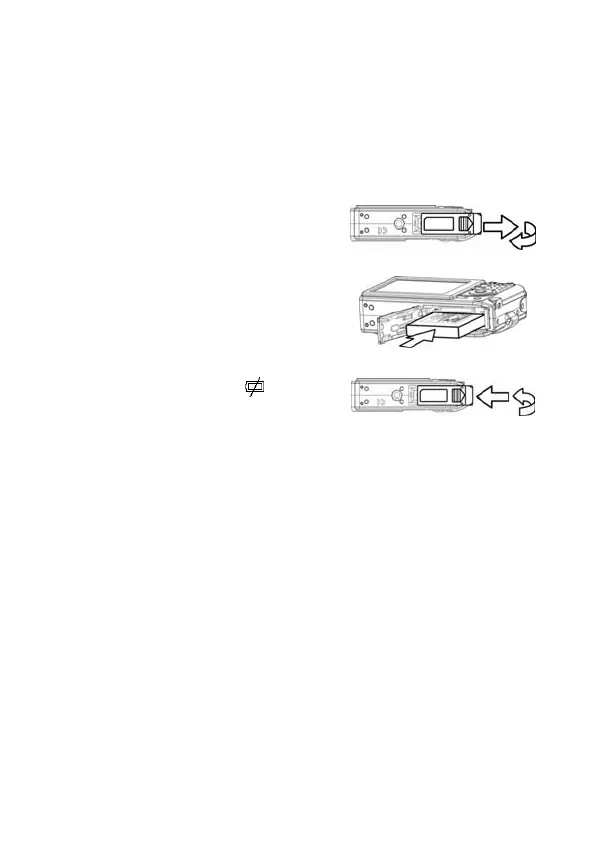
Installing the Battery Pack
The Nytech DS-5200 is powered by a rechargeable lithium-ion
battery (NP-40).
1. Slide the battery cover open.
2. Install the battery with the
terminal facing inside the camera
and the label facing the back of
the camera.
3. After making sure the battery
pack is properly installed, slide
the battery cover closed.
Low Battery Indicator
A low battery indicator
appears on the LCD screen when
the battery is nearly exhausted.
The battery should be replaced
promptly when the low battery
indicator appears.



 To Next Page