- 37 -
Option Description
Off Turns off the frame stabilizer.
On Helps you to prevent camera shake.
When you turn on this function, the
frame range becomes narrow and
preview frames may not display
smoothly.
Setting the White Balance
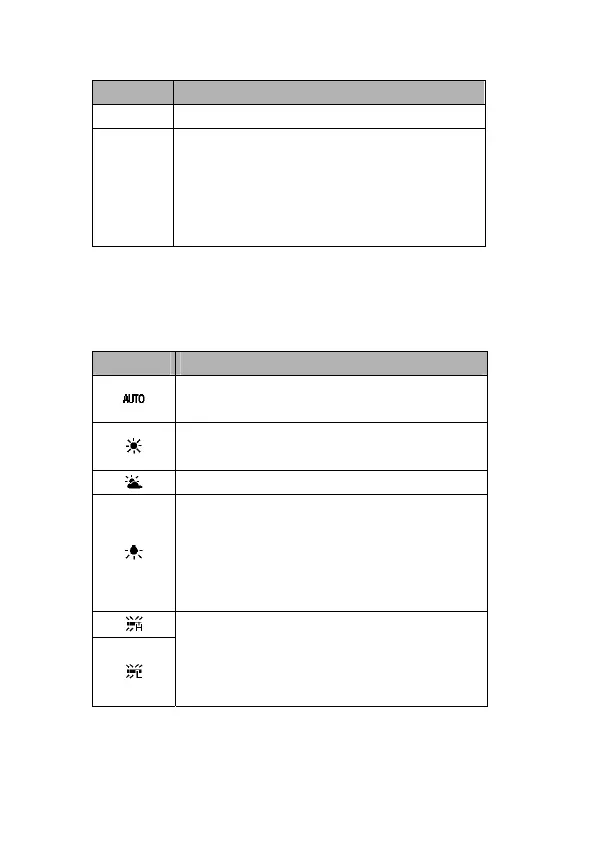
Adjust the white balance to match different light sources such as
sunlight, incandescent (tungsten) lighting or fluorescent lighting.
Option Description
Automatically corrects white balance.
Ideal for general photography.
Adjusts for bright sun conditions or
natural light conditions.
Adjusts for cloudy days or twilight conditions
Adjusts for normal indoor lighting
conditions. Corrects the orange hue of
household light bulbs. Ideal for indoor
photos under tungsten or halogen
lighting without a flash.
Adjusts for fluorescent lighting. Corrects
the green hue of fluorescent lighting.
Ideal for indoor photos under fluorescent
lighting without a flash.



 To Next Page