- 15 -
DCF Protocol
The DCF protocol defines the format for image file data as well
as the directory structure for the memory card. Images that are
taken by a DCF camera can be viewed on DCF-compatible
cameras from other manufacturers.
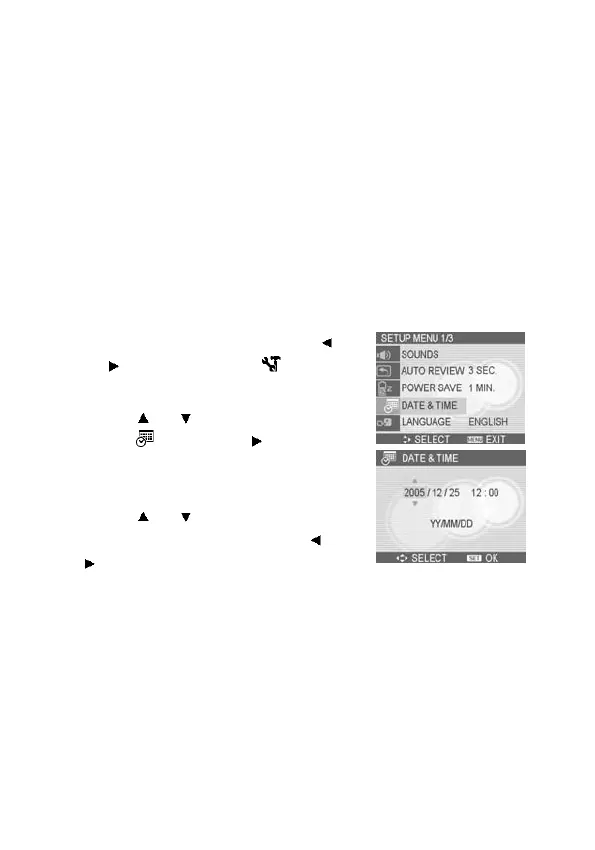
Setting the Date and Time
When the Nytech DS-5200 is first turned on, the date and time
setting will not be correct. Therefore, before using, be sure to set
date and time.
1. Press the MENU button, using
or
to select SETUP ( ) and
press the SET button.
2. Press
or to select DATE &
TIME (
) then press or the
SET button to launch the Date &
Time screen.
3. Press
or to change the value
of the highlighted field. Press
or
to highlight another field.
4. After adjusting the settings, press
the SET button to apply the setting.



 To Next Page