- 47 -
NOTE:
Protected images cannot be deleted with the delete function.
Protecting Files
Files stored on your Nytech DS-5200 or on a memory card can
be protected to prevent accidental deletion.
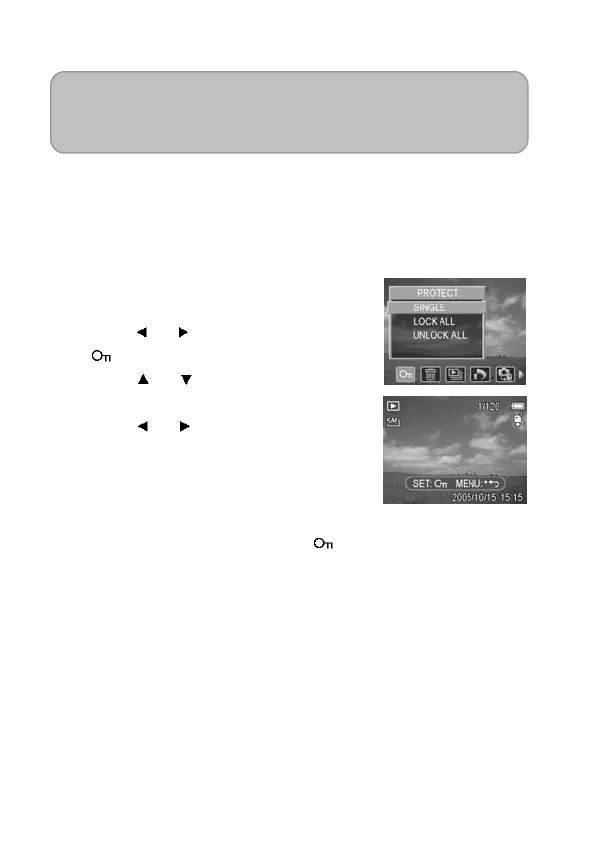
1. Set the camera to the Playback
mode (see page 18).
2. Press the MENU button, then
press
or to select PROTECT
(
).
3. Press
or to select SINGLE,
and then press the SET button.
4. Press
or to select the file you
want to protect.
5. Press the SET button to protect the
file or press the MENU button to
cancel.
When the file is locked, the
displays on the LCD monitor.
6. Repeat step 4~5 to protect images.



 To Next Page