- 25 -
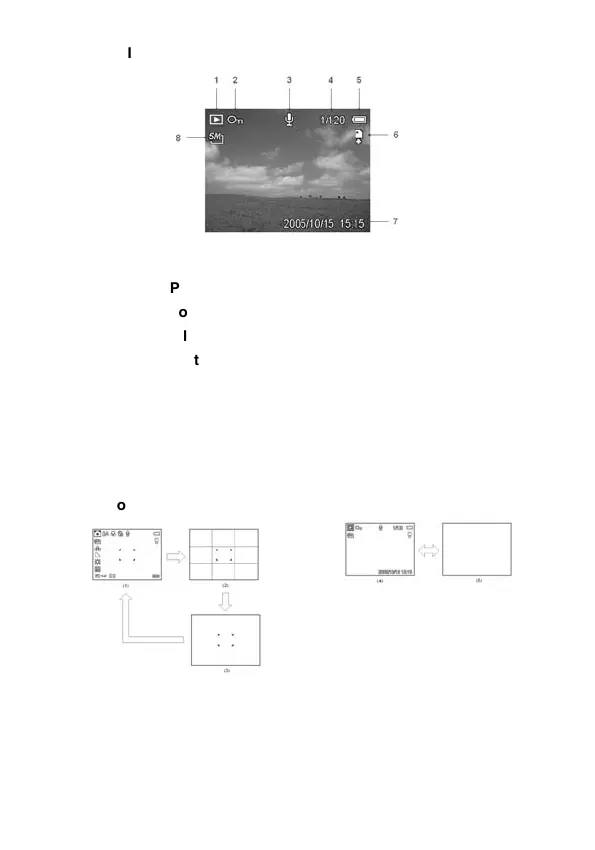
In Playback
1 Mode icon 6 Storage media
2 Protect 7 Capture date & time
3 Voice memo 8 Resolution
4 File number / Total
5 Battery
Switching the Screen Display
Press the DISP button to change the next display mode of the
LCD monitor as shown below:
In Record mode
In Playback mode
(1) OSD on
(2) Guide line
(3) OSD off
(4) OSD on
(5) OSD off



 To Next Page