26 Océ TDS600 Multifunctional Digital System User Manual
Printer operator panel
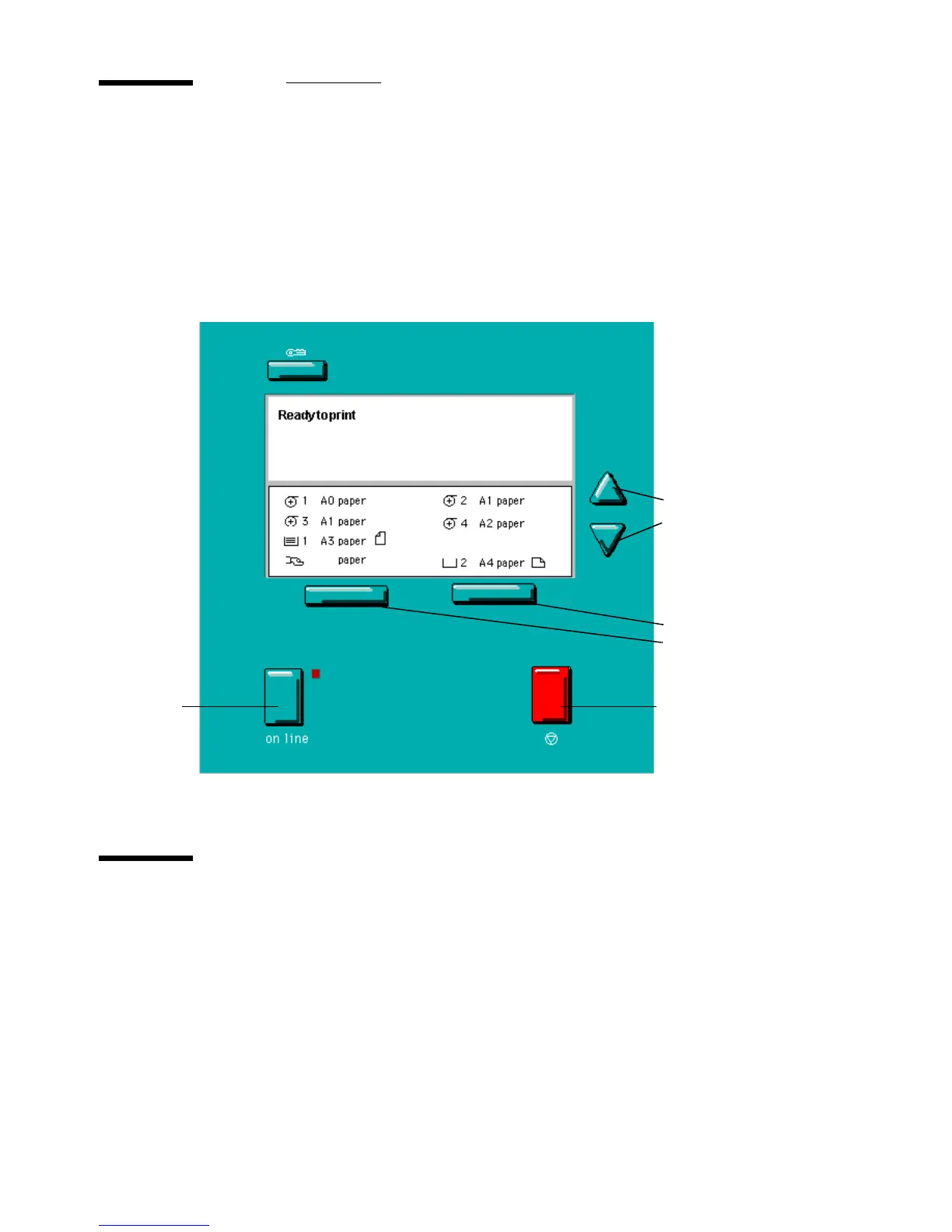
The printer operator panel consists of a number of buttons and a graphical
display (see figure 4). At the top of the panel is an indicator (a light) which
starts flashing when operator intervention is required.
[4] Printer operator panel
Display
The graphical (LCD) display offers feedback about the current printer status.
It provides you with the following information:
■
Status information (e.g. ‘Preparing for run’ or ‘Ready to print’).
During normal operation the following message types may appear:
Status/action message: indicates the actual status of the printer plus the
action to be taken, e.g. ‘Roll empty. Feed A2, plain paper’.
Warning message: during a warning message the printer will continue to
On line
button
Stop button
Up/Down
buttons
Selection
buttons



 To Next Page