54 Océ TDS600 Multifunctional Digital System User Manual
[21] Accounting function option
▼
▼▼
▼
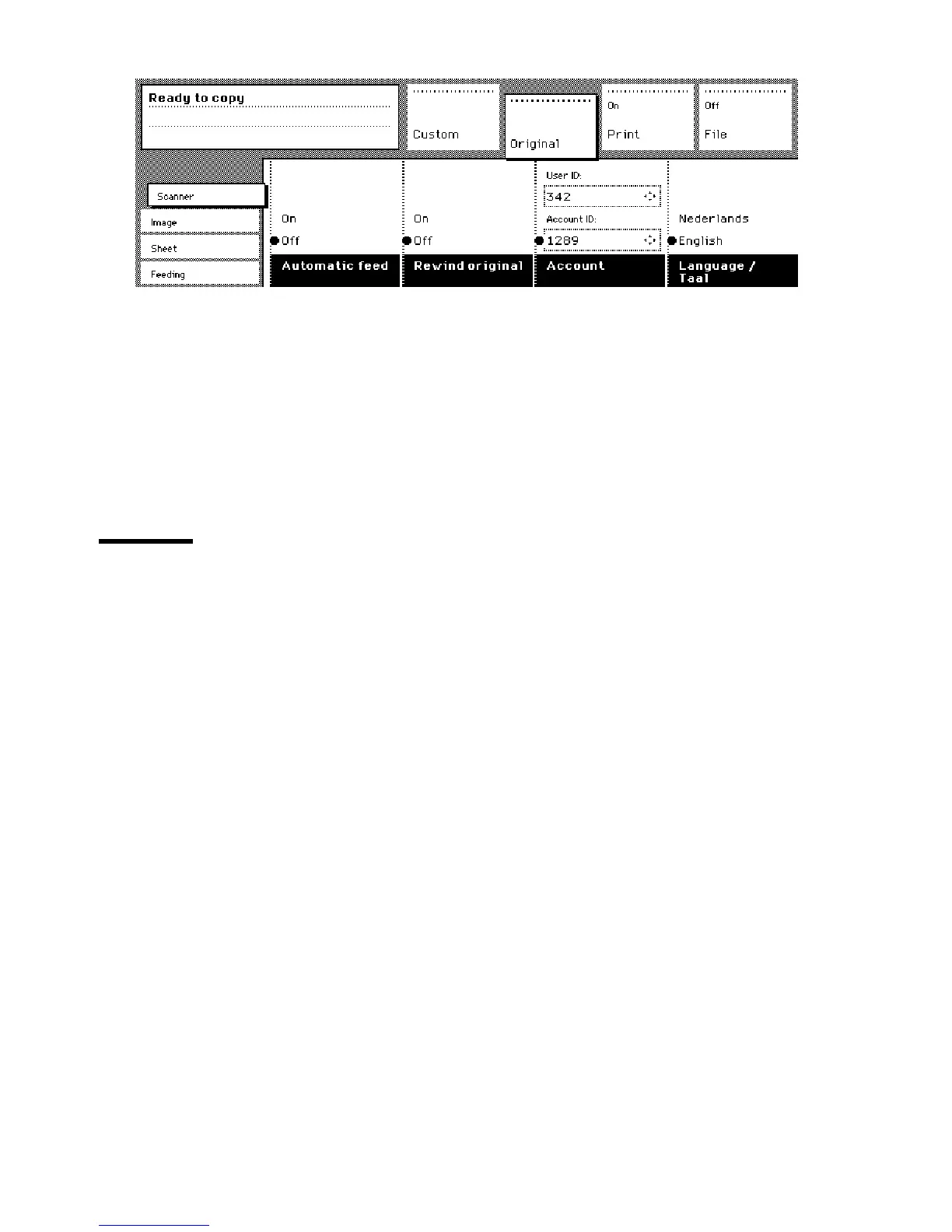
To select accounting
1
Open the ‘Scanner’ card in the ‘Original’ section.
2
Press the ‘Accounting’ function button to set ‘Accounting’.
3 Select the needed ‘Account id’ or ‘User id’ with the Arrow buttons to the right
of the display.
4
Enter the ‘Account ID’ or the ‘User ID’ with the numeric buttons.
Using the manual feed for copying
If you want to copy a job on a media type and/or size that is not available on
one of the paper rolls or sheet feeders, it can be convenient to manually feed
sheets instead of switching paper rolls or sheet feeders. The sheet feed is a
special slot just above the roll drawers on the engine. You can insert pre-cut
copy material in this slot, one sheet at a time.
Note:
Only use media as specified in ‘List of available material types and sizes’
on page 309.
▼
▼▼
▼
Copying on pre-cut sheets
1
Open the ‘Sheet’ card in the ‘Print’ section.
2
Press the ‘Manual feed’ button. The display will look as follows:



 To Next Page