UsetheOcéTDS600tocopy 55
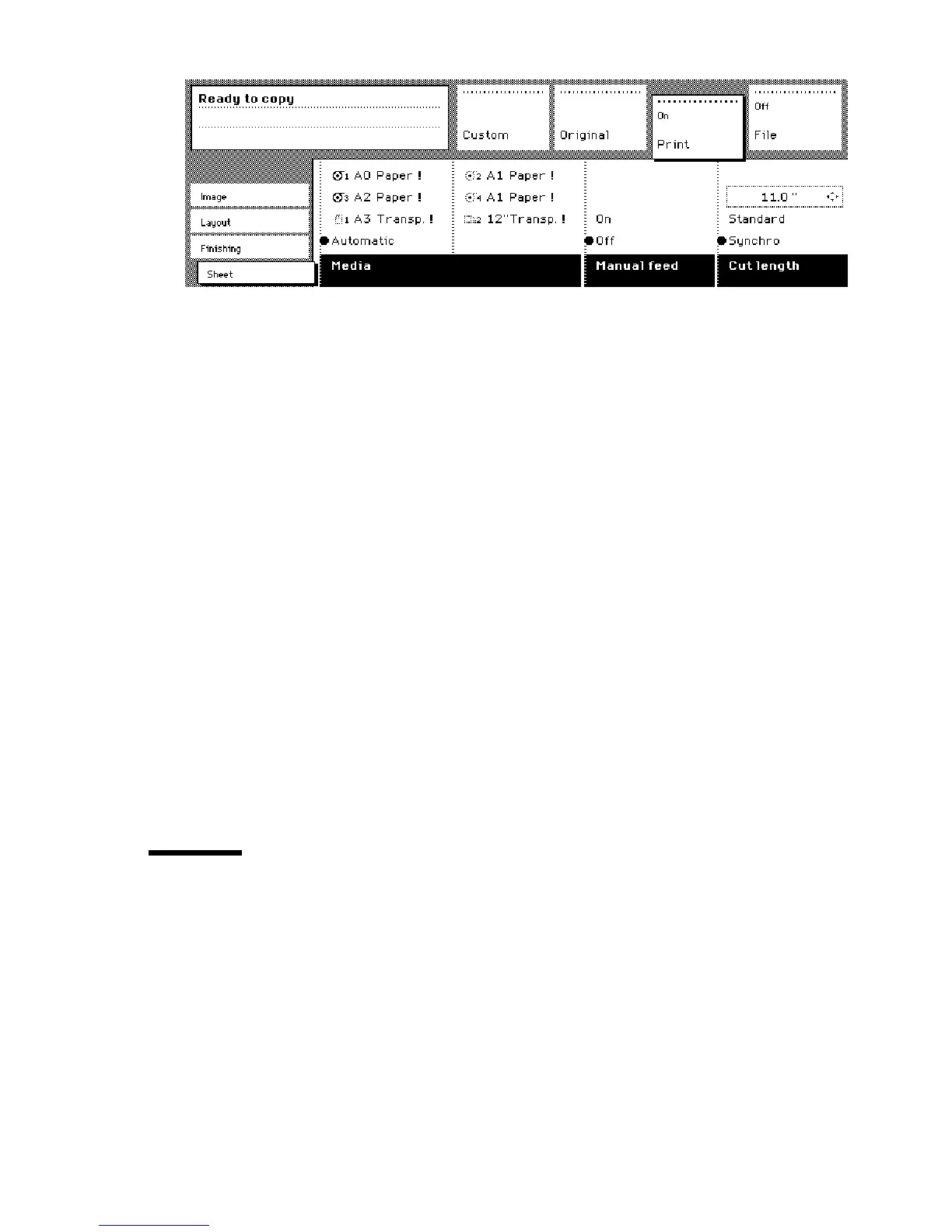
[22] Using the manual feed option
3 Select any required other settings.
4 Enter the number of copies using the numeric buttons.
5 Feed the original.
6 Press the start button.
7 Take your sheet of copy material to the side of the printer engine that contains
the sheet feed.
8 Use both hands to align the copy material in accordance with the format
indication and the sticker on the manual feed table.
9 Move the copy material forward in the nip of the roller. This must cause an
ample paper bulge over the full width of the page.
10 Hold the paper with both hands until the engine pulls in the first part of the
sheet.
The bulge will be reduced or it will disappear. A few seconds later the complete
sheet will be pulled in the printer.
Note:
If the copy job requires more sheets, the display will ask you to feed
the next sheet.
11 Repeat steps 7 to 11 to complete the job.
12 Collect your output.
Note:
The image will be printed on the side of the sheet which is facing up.
Define delivery of copies
Normally,yourcopiesaredeliveredontheintegratedreceivingtrayontopof
the Océ TDS600 Printer. However, you can specify to deliver your copies on
the optional copy delivery tray or on a folder. If you want to use your copy
delivery tray, you take the following steps.
▼
▼▼
▼
Deliver copies on the copy delivery tray
1
Open the ‘Finishing’ card in the ‘Print’ section.
2
Use the ‘Copy delivery’ function button to select the ‘Copy deliv. tray’ option.



 To Next Page