94 Océ TDS600 Multifunctional Digital System User Manual
4 Feed the original.
Refer to table ‘Standard folding settings’ on page 290 for more information
about folding copies of non-standard sized originals.
Scanning originals with filing strip
Left hand side
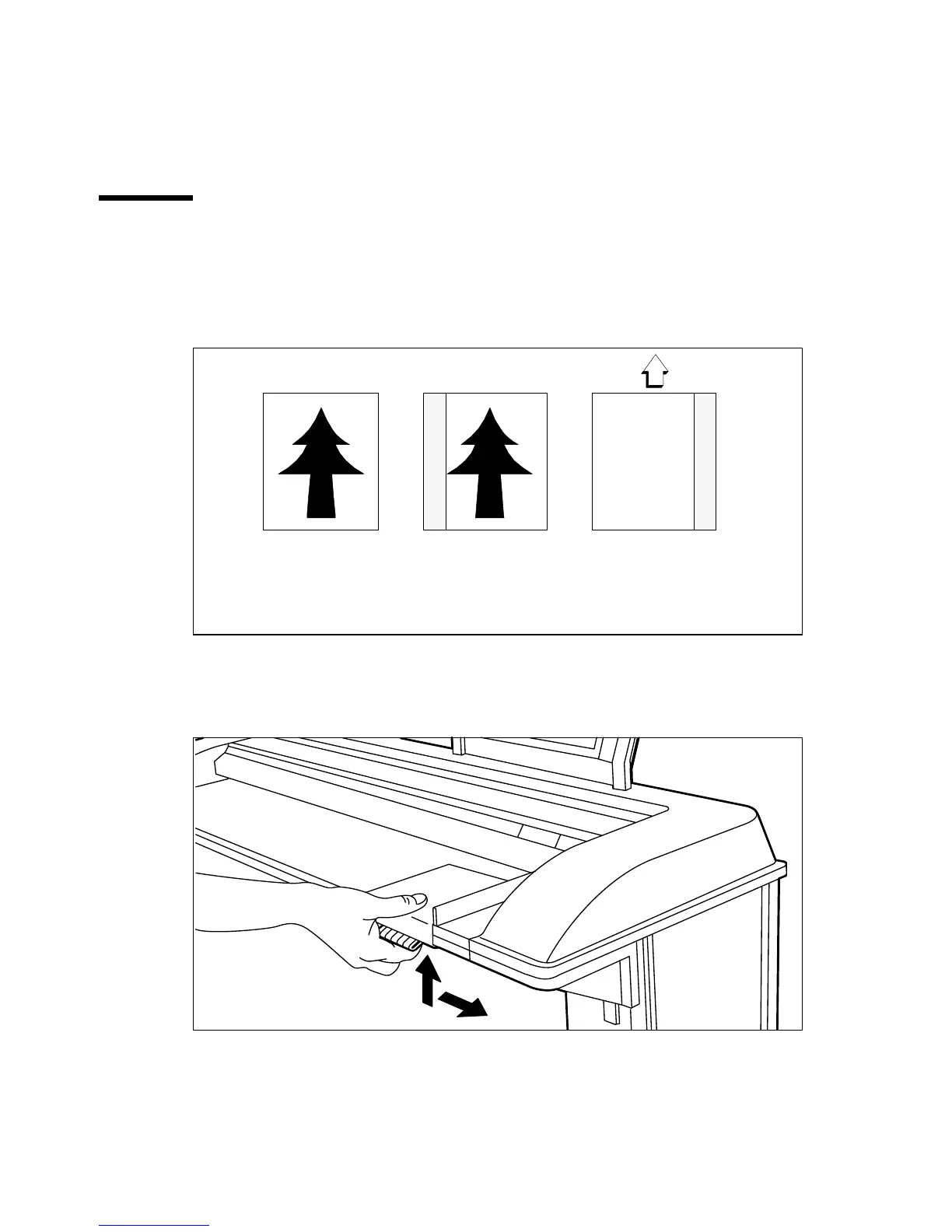
You can adjust the original guide of the scanner to remove a
filing strip along the left hand side (right hand side in the feed direction,
face-down). This side can be reduced by up to 60 mm (see figure 55).
[55] Example of adjusting the left hand side of an original
▼
▼▼
▼
Copying with removed filing strip along the left hand side
1
Press the handle underneath the original guide, and move it to the right.
[56] Adjusting the original guide to add or remove a filing strip along the left hand side
Face up:
Left hand side
-40mm
Face down:
right hand side
in feed direction



 To Next Page