290 Océ TDS600 Multifunctional Digital System User Manual
Introduction
If you have a folder installed on your Océ TDS600 system, the following two
other optional features are available:
■
Reinforcement unit
■
Belt unit
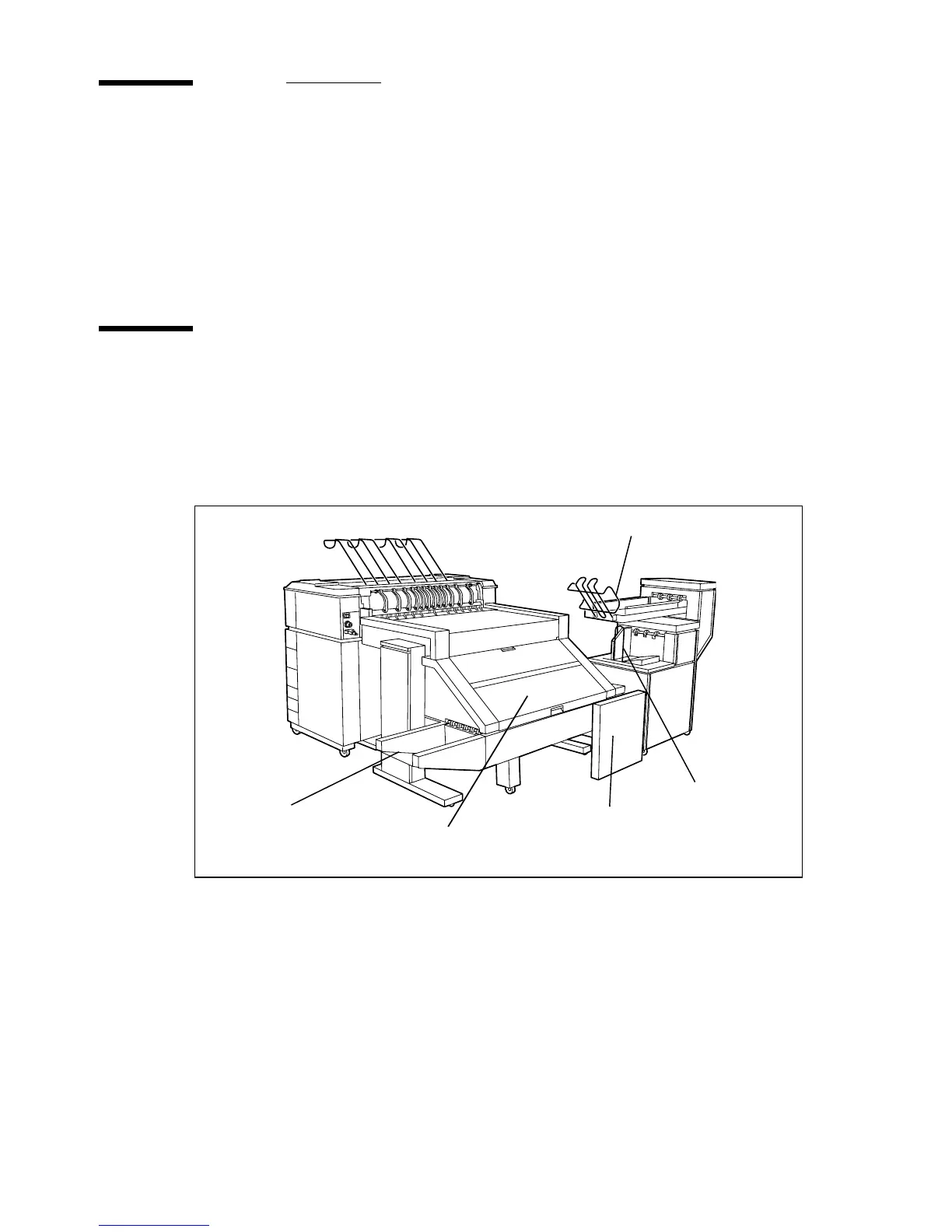
Océ TDS600 folder
The Océ TDS600 can have a folder to fold your copies. The copies are folded
according to the selected folding width and length with a drawing method. You
can only fold paper. Polyester, transparent or vellum media cannot be folded,
a media jam can occur.
[192] Océ TDS600 folder
Standard folding settings
By default, you use the standard folding settings
defined for your Océ TDS600 system by the key operator. The following
settings are available:
▼
▼▼
▼
Set the folded copy delivery
1
Press the ‘Finishing’ card in the ‘Print’ section.
2 Press the function button ‘Folded copy delivery’.
3 Select ‘Stacker’ or ‘Belt’.
Folder
Stacker
Belt
First Fold Delivery
tray
Reinforcement
Unit



 To Next Page