Basic Operation
OPERATION GUIDE 3-55
3
3
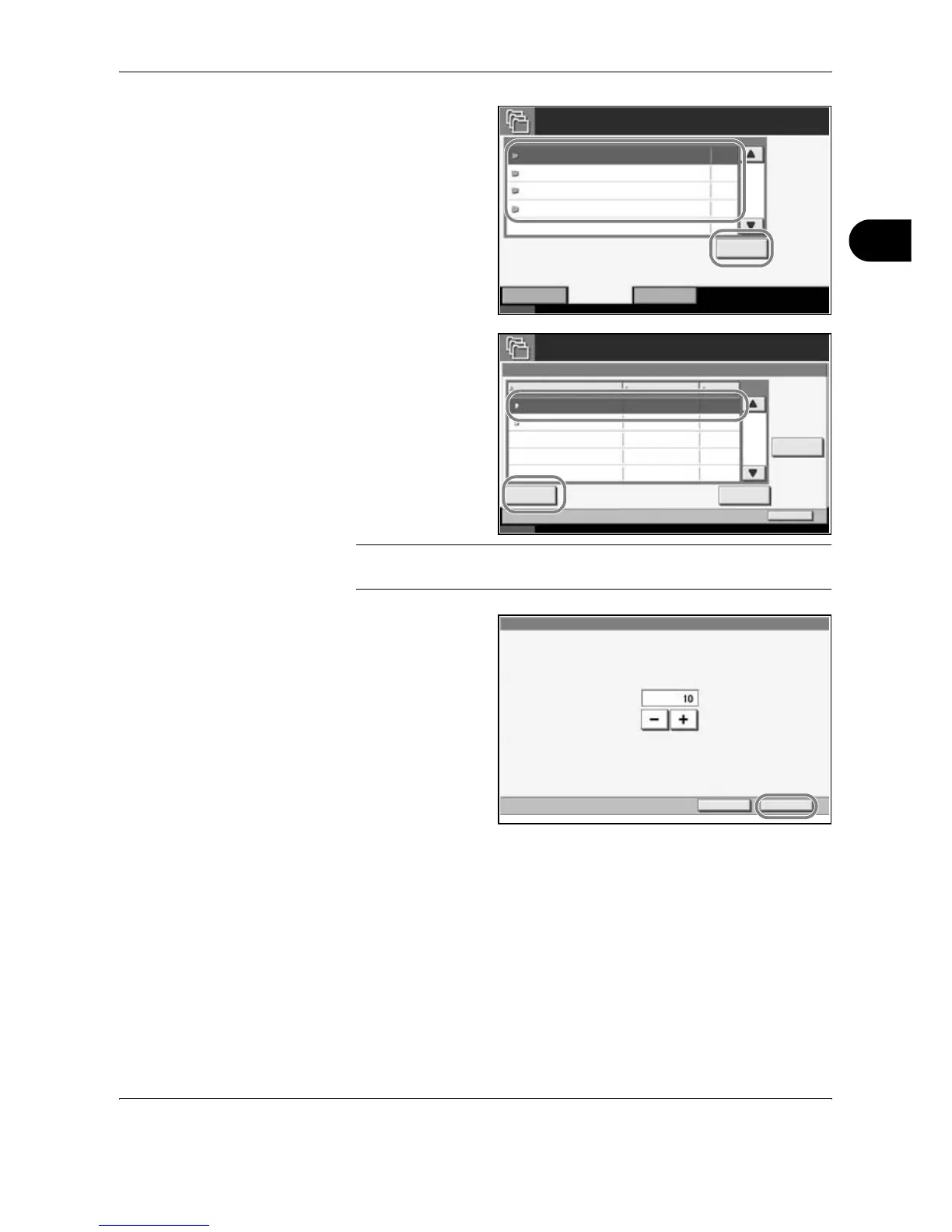
Select the box
containing the
document to be
printed Press
[Open].
4
Select the document
to be printed and
press [Print].
In the case of image
overlay (copying),
press [Yes] in the
confirmation screen
and printing begins.
For other boxes,
proceed to step 5.
NOTE: If a password is set for the Custom Box in advance, enter the
correct password.
5
Use the [+] or [-] key
or the keys on the
number pad to enter
the number of
copies and then
press [Start Print].
Printing begins.
Status 10/10/2007 10:10
Open
Removable MemoryJob BoxCustom Box
Private Print/Stored Job
Quick Copy/Proof and Hold
Repeat Copy
Form for Form Overlay(Copy)
Box Name
1
0
0
2
Files
Job Box
Quick Copy/Proof and Hold
Status 10/10/2007 10:10
Close
Detail
Name Date and Time Size
Print Delete
Private Print/Stored Job
Job Box
Document 1.pdf 05/05/2007 10:00 MB30
001/001
Document 2.pdf 05/05/2007 10:10 MB20
Document 1
Cancel Start Print
Copy(s)










 To Next Page