Preparation before Use
2-20 OPERATION GUIDE
Storing Information in the Address Book
You can use the machine’s operation panel to store E-mail addresses,
paths to folders (SMB) on a PC, the FTP server path and fax numbers in
the built-in Address Book.
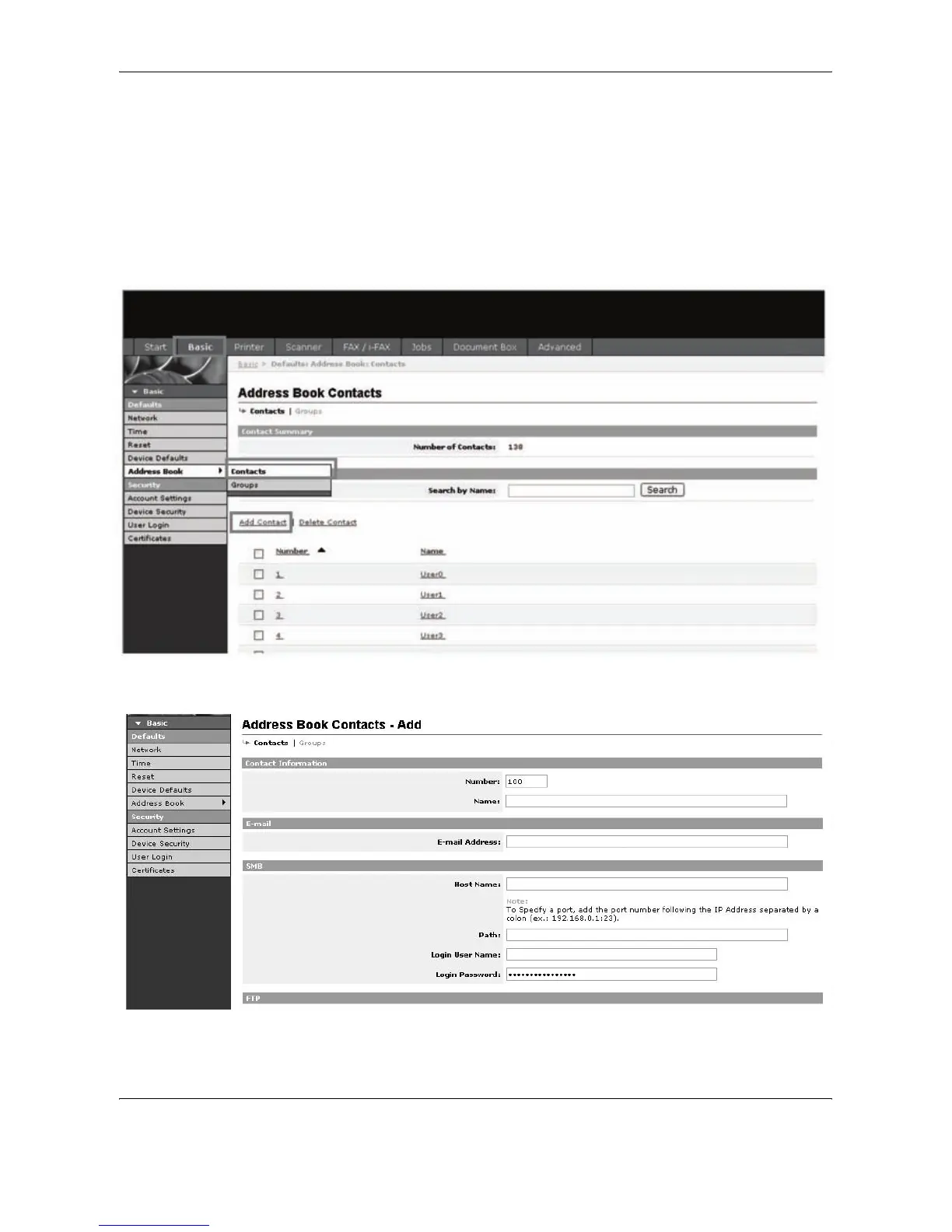
You can also use EWS (Embedded Web Server) to add, edit and delete
individual contacts and group contacts in the Address Book.
1
Click Basic -> Address Book Contacts -> Add Contact.
2
Enter the correct settings in each field.










 To Next Page