Preparation before Use
2-26 OPERATION GUIDE
2
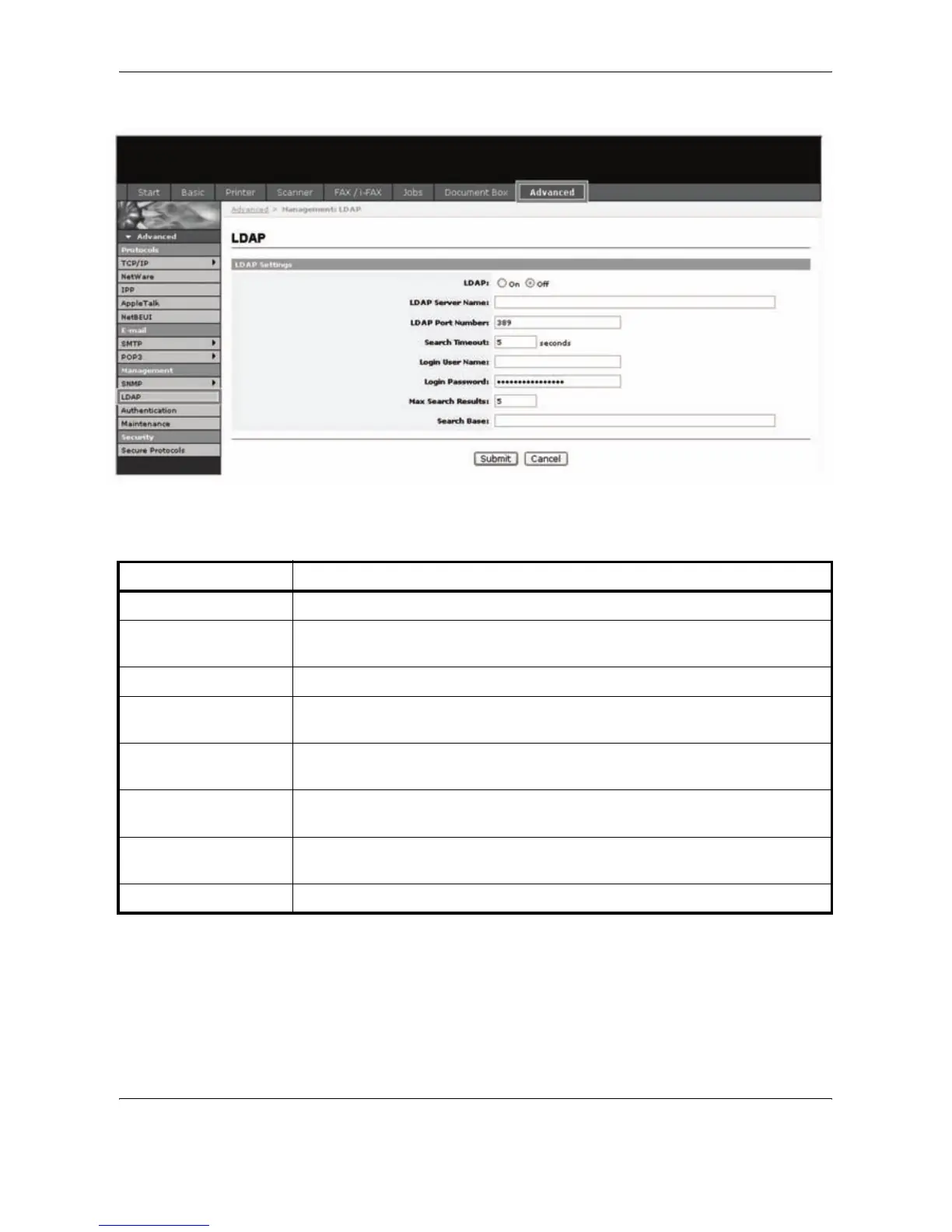
In EWS (Embedded Web Server), click Advanced -> Management > LDAP.
3
Enter the correct settings in each field.
The settings to be specified in the LDAP settings screen are shown below.
4
Click Submit.
Item Description
LDAP Enables or disables access to the LDAP server.
LDAP Server Name Enter the LDAP server IP address or name. The maximum length of the LDAP
server name is 62 characters.
LDAP Port Number Enter the port number used by the LDAP server. Normally, 389 is used.
Search Timeout Enter the duration of LDAP server searches. You can enter any number between
5 and 60.
Login User Name Enter the user name used for LDAP logon. The maximum length of the login user
name is 62 characters.
Login Password Enter the password used for LDAP logon. The maximum length of the login
password is 62 characters.
Max Search Results Enter the maximum number of results displayed when the LDAP address book is
searched. You can enter any number between 4 and 30.
Search Base Specify the starting point for LDAP directory searches.










 To Next Page