Preparation before Use
2-28 OPERATION GUIDE
4
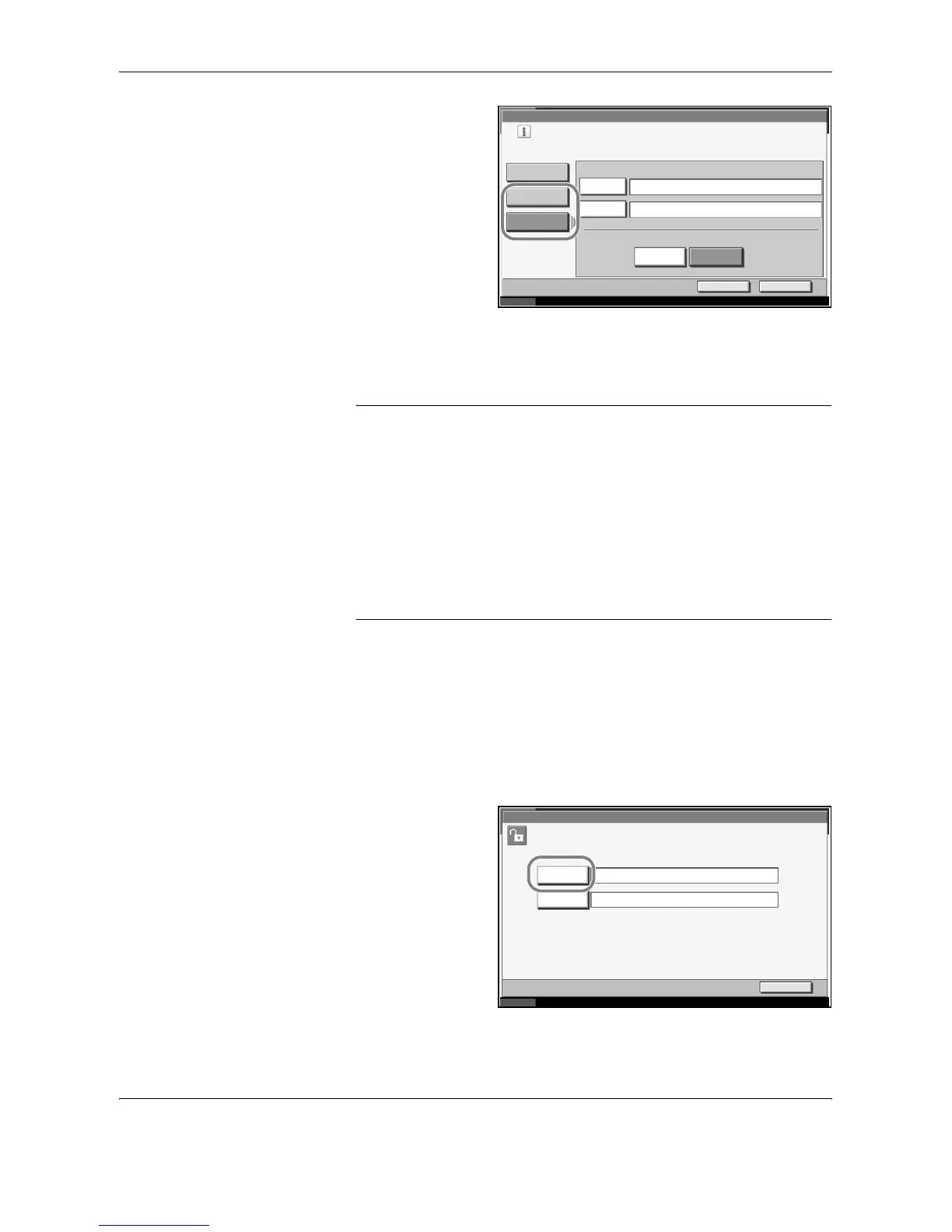
Select [Local
Authentic.] or
[Network Authentic.]
to enable user login
administration.
Selecting [Off]
disables user login
administration.
If you select
[Network
Authentic.], enter
the host name (62
characters or less) and domain name (254 characters or less) for the
Authentication Server. Select [NTLM (WinNT)] or [Kerberos (Win2000/
2003)] as the authentication method.
NOTE: If the login user name and password are rejected, check the
following settings.
• Network Authentication setting of the machine
• User properties of the Authentication Server
• Clock time setting of the machine and the Authentication Server
If you cannot login because of the setting of the machine, login as any
administrator registered in the local user list and correct the settings.
If the server type is [Kerberos (Win2000/2003)], only domain names
entered in uppercase will be recognized.
5
Press [OK].
Login/Logout
If user login administration is enabled, it is necessary to enter the login user
name and password to use the machine.
Login
1
If the screen shown
appears during
operations, press
[Login User Name].
2
Enter the login user name and press [OK].
User Login/Job Accounting - User Login
Off
OK
Status
10/10/2007 10:10
Cancel
Host Name
Domain Name
NTLM
(WinNT)
Kerberos
(Win2000 /2003)
User login administration.
Please select authentication method.
Local
Authentic.
Network
Authentic.
NTLM
(WinNT)
Login
User Name
Login
Status 10/10/2007 10:10
Enter login user name and password.
Login
Password
abcdef
********










 To Next Page