Preparation before Use
2-36 OPERATION GUIDE
2
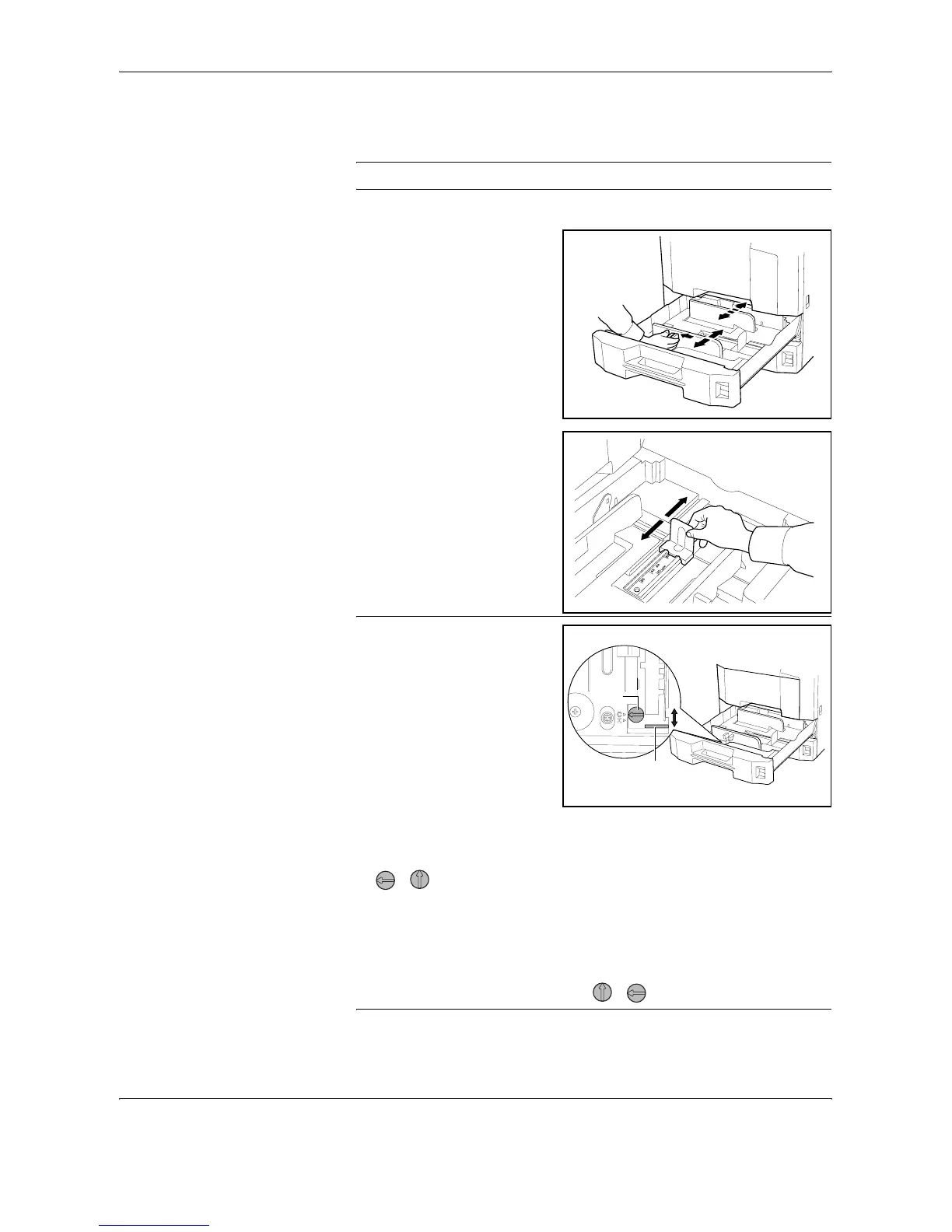
Holding the paper width adjusting tab, move the paper width guides to fit
the paper.
NOTE: Paper sizes are marked on the cassette.
3
Using the paper length guide,
move the plate to fit the paper.
NOTE: Paper sizes are
indicated on the cassettes.
To change between inch size
and metric size (A, B sizes),
follow the steps below to
adjust the size switch.
1. Holding the paper width
adjusting tab, move the
paper width guide to a
position other than that of
the paper.
2. Turn the size switch A 90°.
>
3. Move the size lever B up (C) or down (I).
C:metric size (centimeters) (A, B sizes)
I:inch size
4. Turn the size switch 90°to lock it. >
A
B










 To Next Page