Preparation before Use
OPERATION GUIDE 2-37
2
4
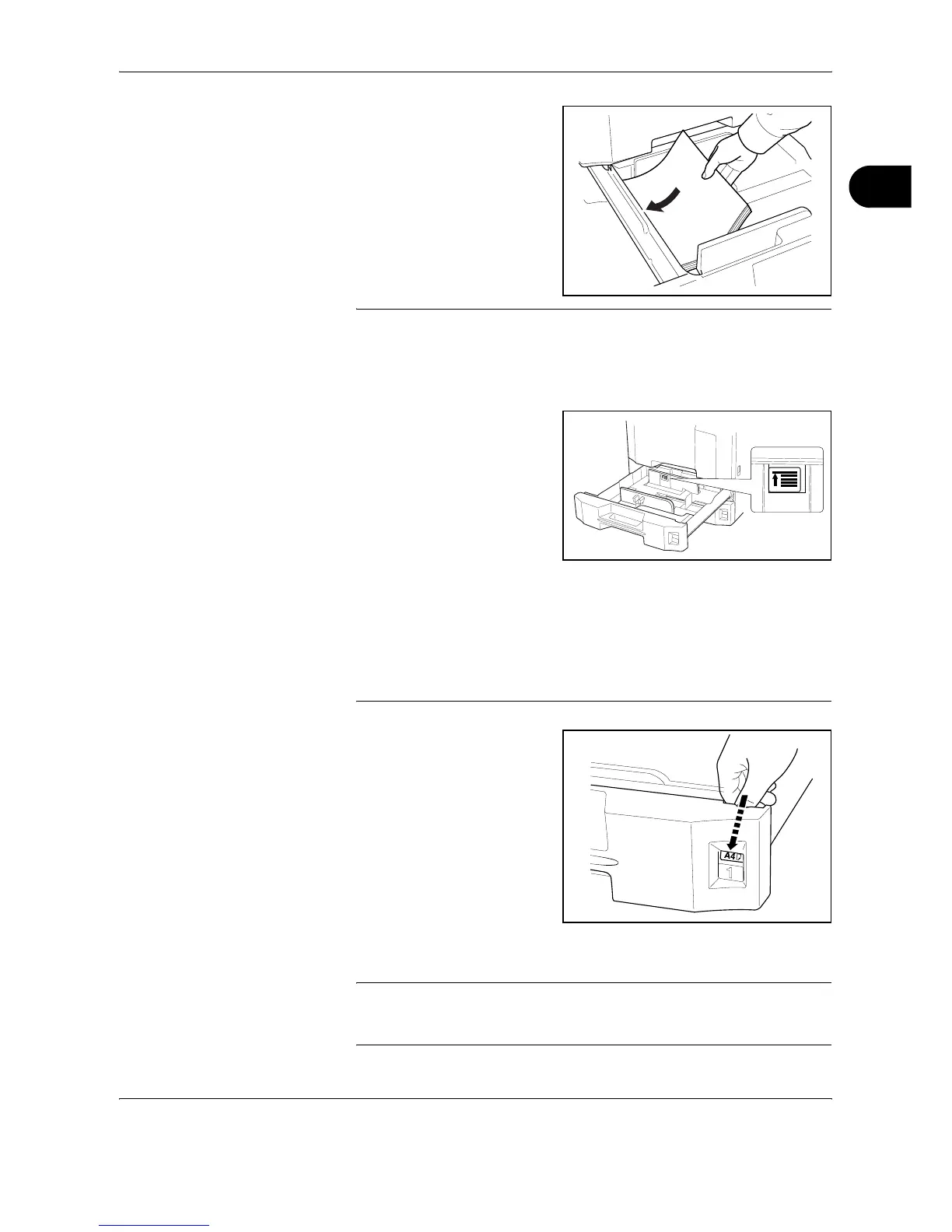
Align the paper flush against
the left side of the cassette.
IMPORTANT:
• Before loading the paper, be sure that it is not curled or folded. Paper
that is curled or folded may cause paper jams.
• Ensure that the loaded paper does not exceed the level indicator (see
illustration below).
• When loading the paper, keep the side that was closest the package
seal facing up.
• The paper length and width guides must be adjusted to the paper size.
Loading the paper without adjusting these guides may cause skewed
feeding and paper jams.
• Be sure that the paper length and width guides rest securely against
the paper. If there is a gap, readjust the guides to fit the paper.
5
Insert the appropriate paper
size card in the slot to indicate
the size of the paper inside.
6
Gently push the cassette back in.
NOTE: If the machine will not be used for a prolonged period, protect all
paper from humidity by removing it from the cassettes and sealing it in the
original package.










 To Next Page