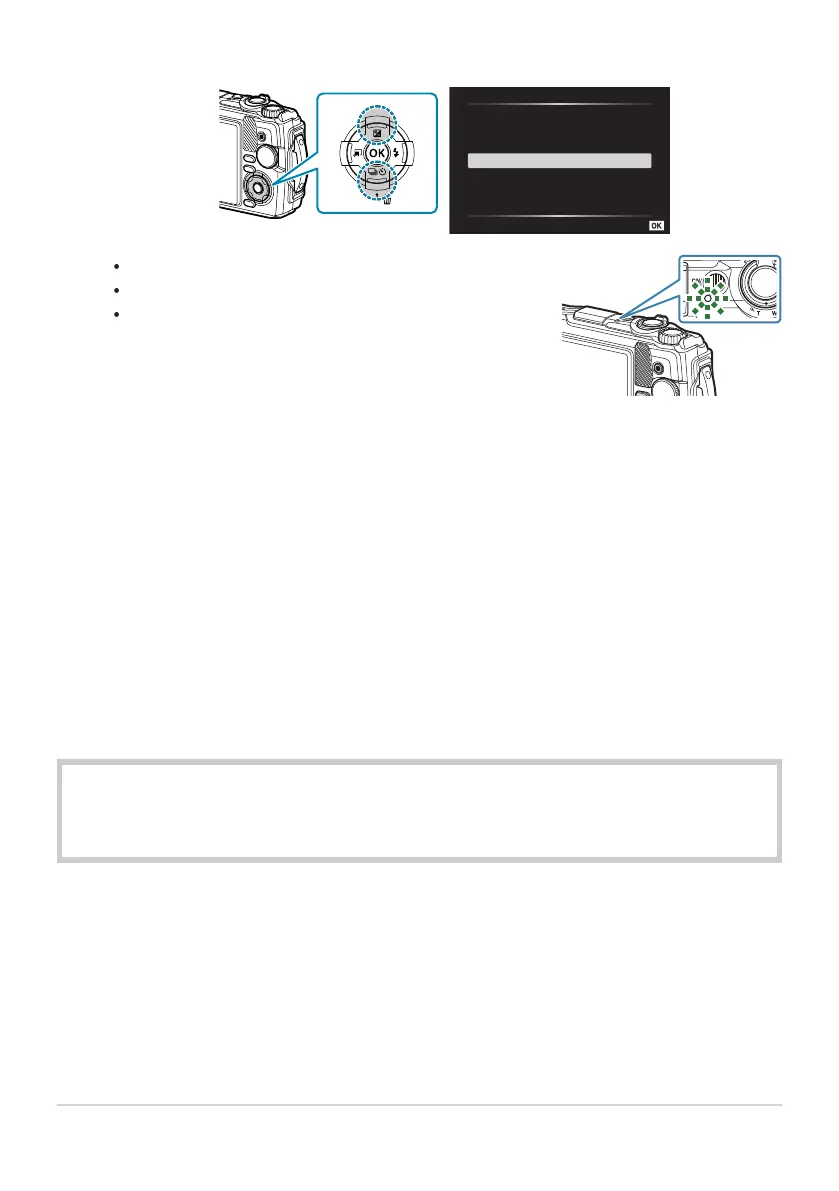
USB
Charge
Exit
MTP
Storage
Set
The indicator lamp will light and charging will begin.
The indicator lamp turns off when charging is complete.
Charging takes about 3 hours. Charging times may increase
at high ambient temperatures.
Highlight [Charge] using the FG buttons on the arrow pad and press the OK button.
Be sure to unplug the power plug of the USB-AC adapter from the wall outlet when charging
is complete.
Use the USB-AC adapter for prolonged shooting. In that case, make sure that the battery is inserted
into the camera and select [Charge] in the dialog displayed after the USB cable is connected.
Pressing the ON/OFF button after the monitor turns off turns the monitor back on, and pictures can
be taken during the charging.
To charge the battery abroad, see “Using your USB-AC adapter abroad” (P.235).
Never use any cable other than the supplied cable or a designated USB cable. Using another cable
can cause smoking or burning.
If the indicator lamp is not lit, reconnect the USB cable and USB-AC adapter to the camera.
A charger (UC-92: sold separately) can be used to charge the battery.
Handling the USB-AC adapter
When cleaning the camera, unplug the USB-AC adapter from the power outlet. Cleaning the
camera without unplugging the USB-AC adapter may cause electric shock or injury.
24
Charging the Battery
2.
C
B
B
C
C
B
C



 To Next Page