54 LD-250 Platform User's Guide 20472-000 Rev B
3.5 Installing the Battery
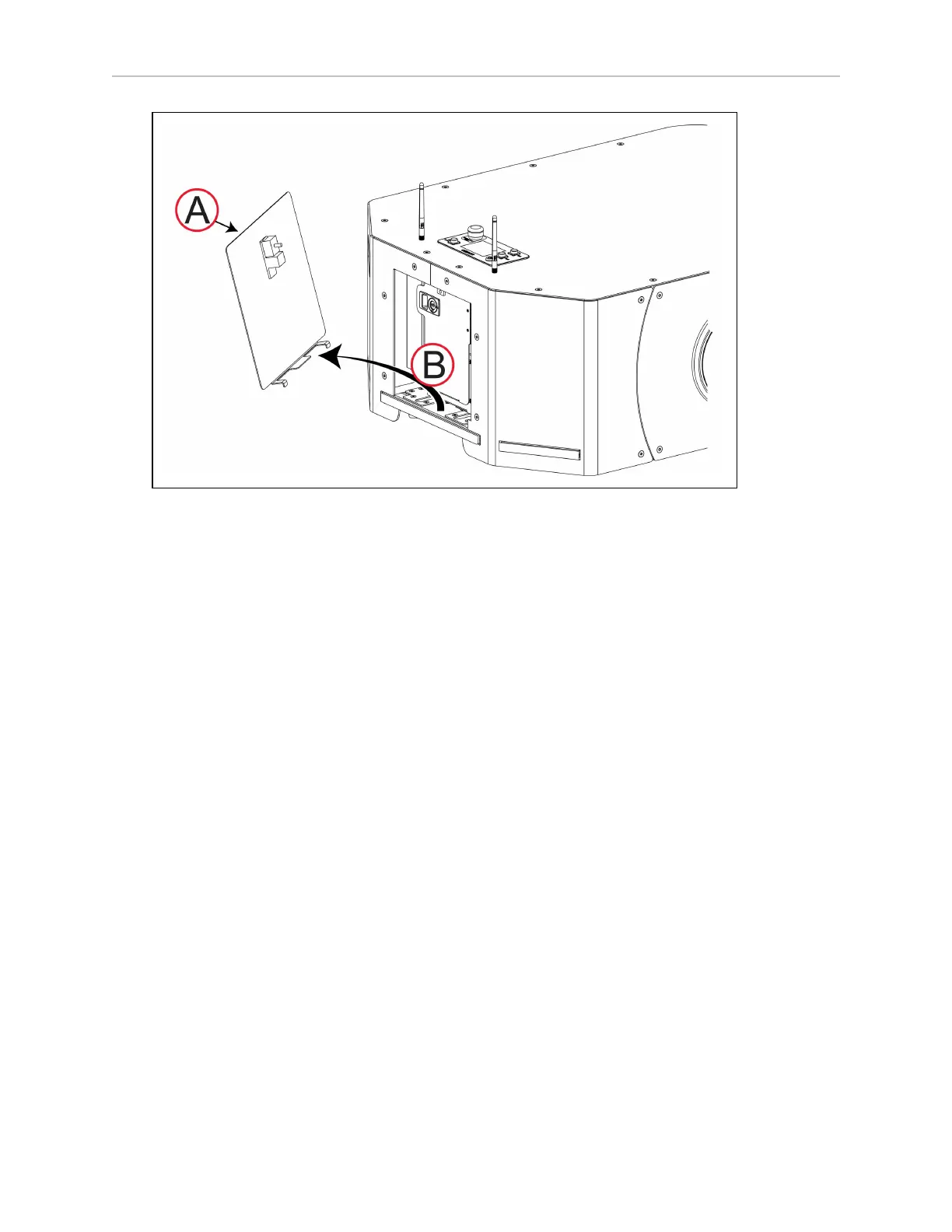
Figure 3-7 Remove the LD-250's Latched Battery Access Skin
3.
If necessary, use the security key (A) to unlock the battery compartment door and slide
the latch (B) to open the door. Observe the correct power cable routing as you open the
door.









 To Next Page