Chapter 3: Setup
Battery Carton
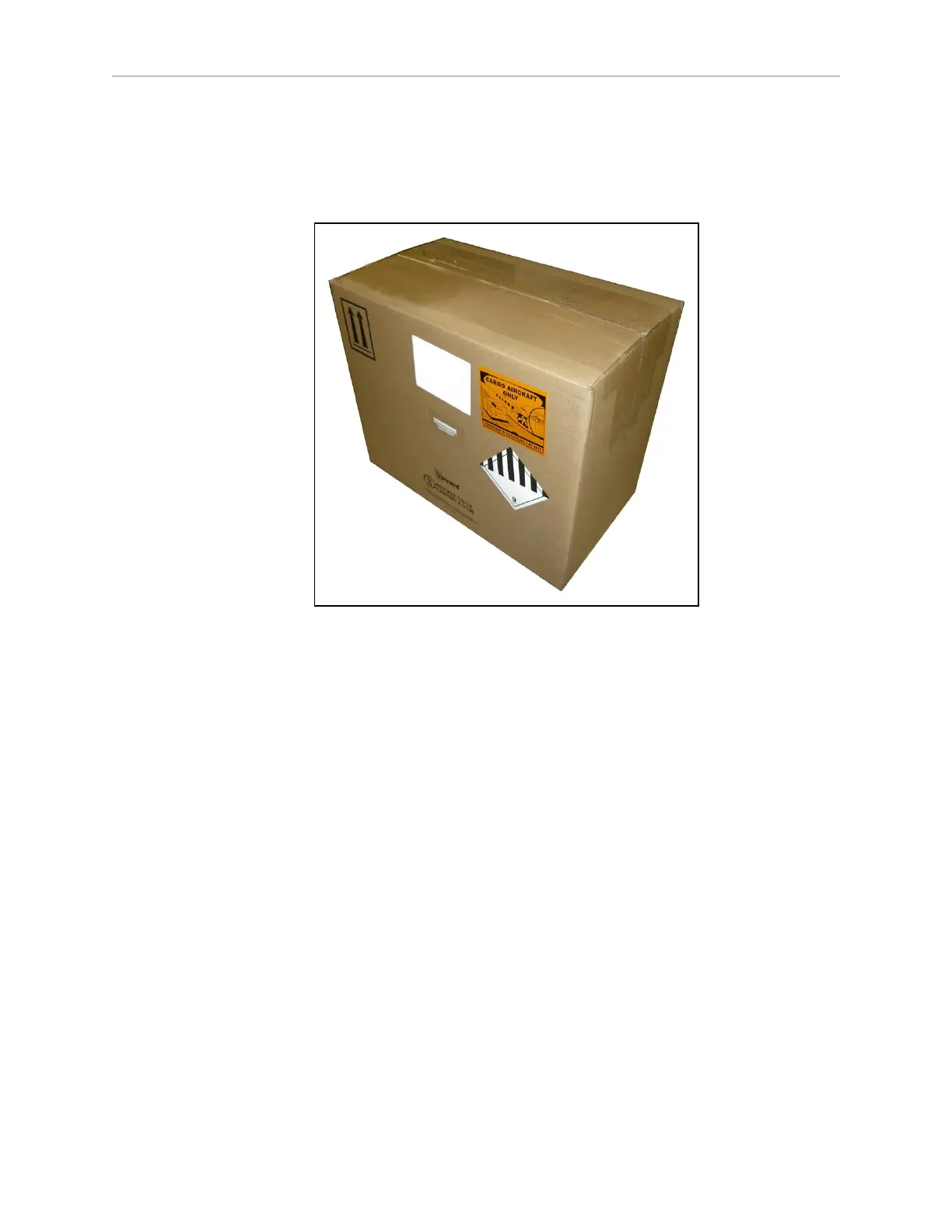
The battery ships in a separate carton, not inside the LD-250. The battery box measures 311 x
540 x 457 mm (12.25 x 21.25 x 18 inches). Locate the carton that contains the battery before con-
tinuing. Refer to the following figure.
Figure 3-6 Battery Shipping Carton
Remove the battery from the carton. The battery has recessed lifting grips at either end of its
casing.
Install the battery as described in: Battery Installation Procedure on page 55.
3.5 Installing the Battery
Your LD-250 ships fully-assembled, excluding its battery. Air shipping regulations require that
the battery is packaged and shipped separately.
Access the Battery Compartment
Remove the LD-250's battery access skin to access the battery compartment door.
1.
Make sure that the LD-250 is powered off and that you press and lock one of its E-Stop
buttons.
2. Lift the latch (A)to detach the battery access skin, and lift the skin up and away from
the chassis (B).
20472-000 Rev B LD-250 Platform User's Guide 53









 To Next Page