9 Setting Up Slave Terminals
9 - 50
NX-series EtherNet/IP Coupler Unit User’s Manual (W536)
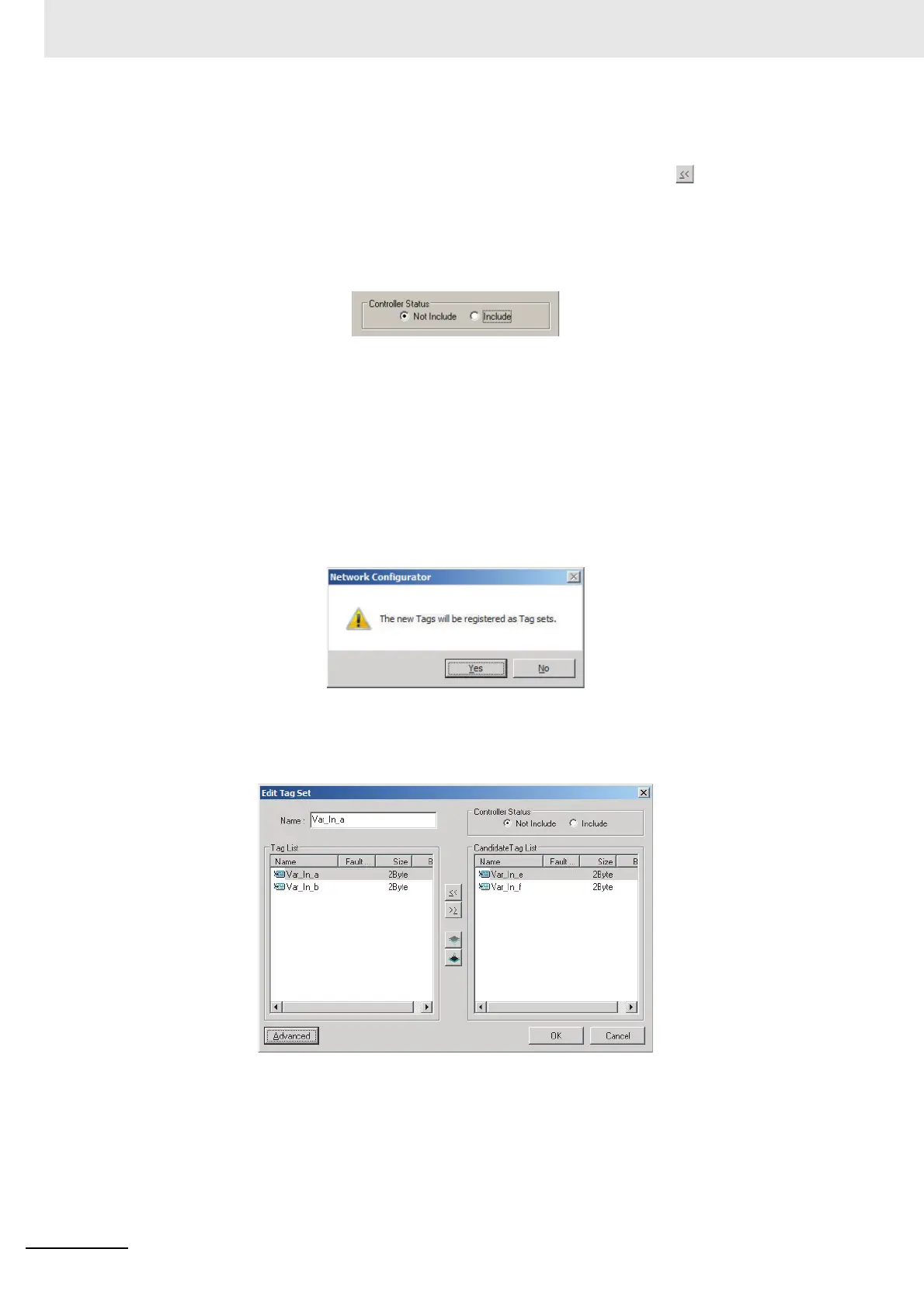
The Tag List on the left side of the dialog box shows the tags that are already registered, and the
Candidate Tag List on the right side of the dialog box shows the other tags that are not regis-
tered yet. To add a tag, select it in the Candidate Tag List and click the button.
14 For the tag sets used for tag data communications with the EtherNet/IP Coupler Unit, select the
Not Include option in the Controller Status area at the upper-right corner of the Edit Tag Set Dia-
log Box.
15 To confirm a change, click the OK button in the Edit Tag Set Dialog Box.
16 Click the OK button in the Edit Device Parameters Dialog Box.
17 After you register all of the required tags, click the OK button at the bottom of the Edit Tags Dia-
log Box.
18 At this point, a confirmation dialog box is displayed to check whether the registered tag names
are used as the tag set names. Tags are just added in this case, so click the No button. Just the
tags are registered. The tags are not registered as tag sets.
19 To register the newly added tags in a tag set, either double-click the desired tag set, or select
the tag set and click the Edit button.
The Tag List on the left side of the dialog box shows the tags that are already registered, and the
Candidate Tag List on the right side of the dialog box shows the other tags that are not regis-
tered yet.



 To Next Page